Real-Time Threat Detection and Analysis Using Splunk SIEM
Project Overview
In this project, I implemented a centralized threat detection and monitoring solution using Splunk. The system was designed to ingest, parse, and visualize various log sources including SSH, FTP, and web login attempts, simulating real-world attacker behavior using tools like Hydra and Gobuster from a Kali Linux machine.
The logs were parsed and enriched in Splunk using custom configurations (inputs.conf, props.conf, transforms.conf, and fields.conf). Custom alerts were created to monitor brute-force attacks, enumeration attempts, and suspicious login behaviors.
Project Objectives
- Deploy and configure Splunk on an Ubuntu VM
- Ingest logs from multiple sources: SSH, FTP, and web login/enumeration logs
- Simulate real-world attacker behaviors using Kali Linux
- Parse and extract fields using
props.confandtransforms.conf - Create real-time alerts and dashboards to monitor attacker activity
Tools and Technologies Used
- Splunk (Enterprise Trial / Free)
- Ubuntu Linux (Host machine)
- Kali Linux (Attacker machine)
- Hydra (for brute-force attack simulation)
- Gobuster (for web directory enumeration)
- Custom Flask Web Login Page (for capturing web logins)
System Setup and Log Sources
1. Splunk Installation and Configuration
- Installed Splunk on Ubuntu
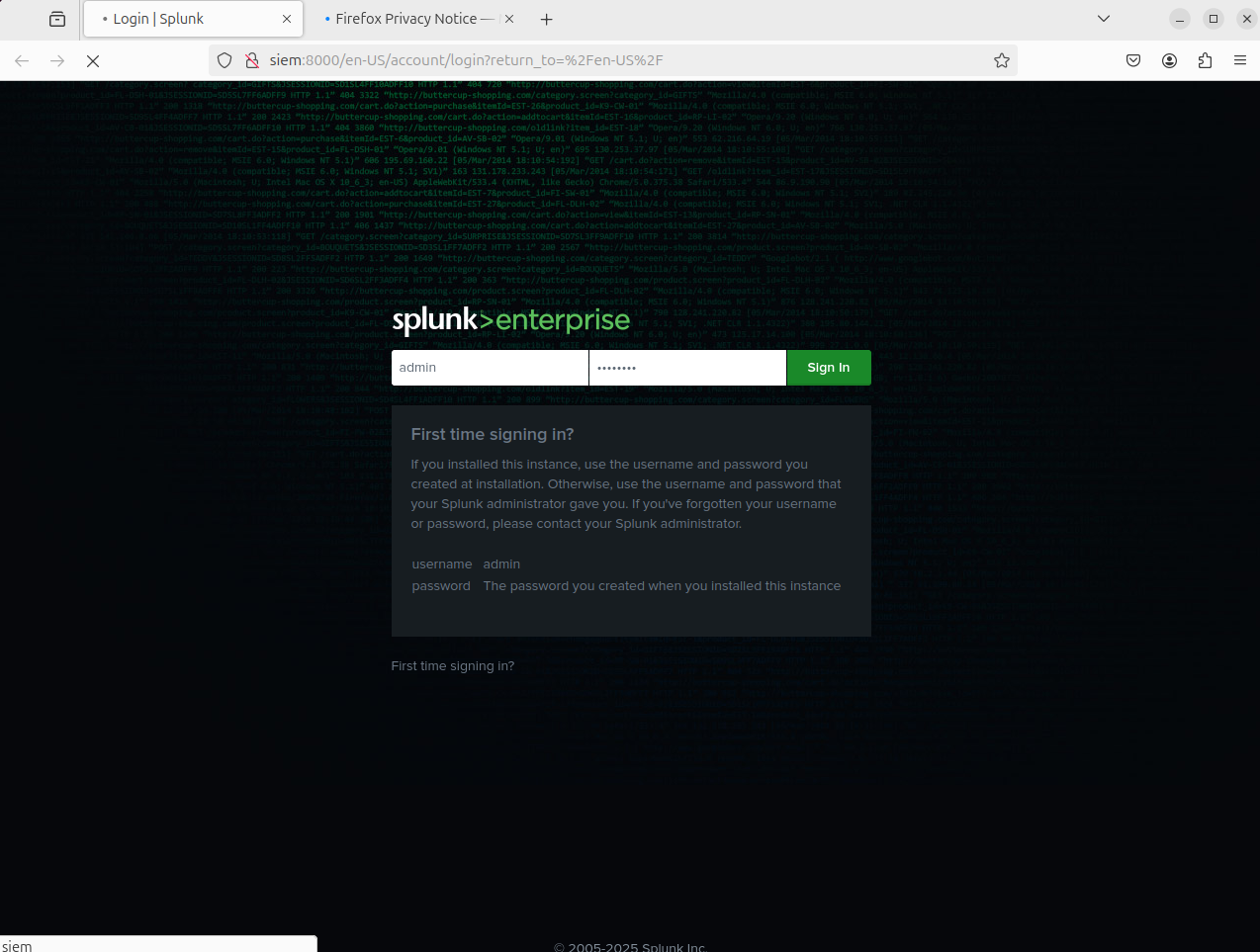
Splunk Enterprise login page after installation on Ubuntu
- Created index
linux_logs
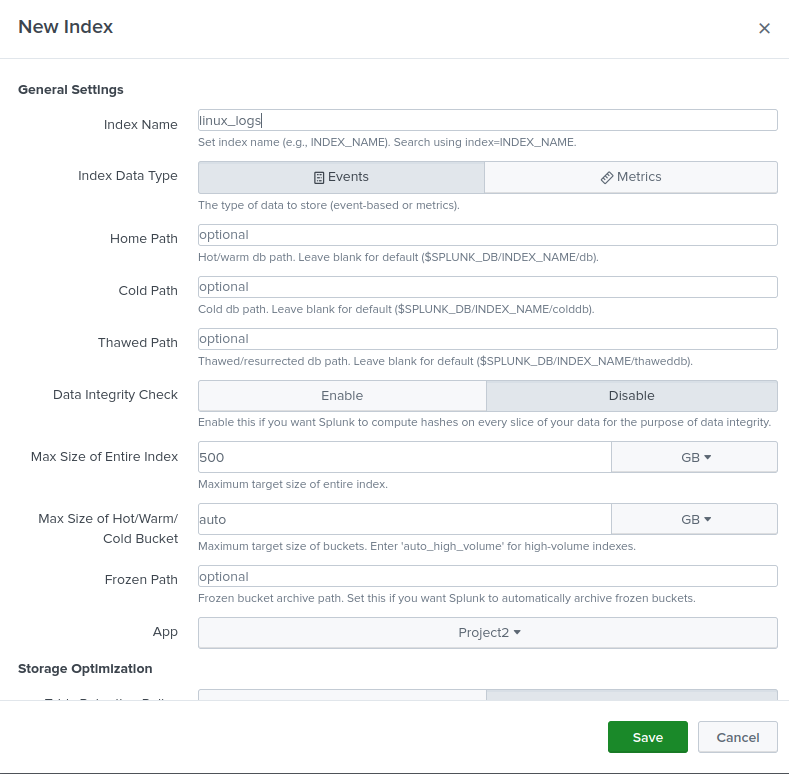
linux_logs index created in Splunk for centralized log storage
Log Source Ingestion
inputs.conf
→ Configured inputs.conf to ingest SSH, FTP, Web server logs
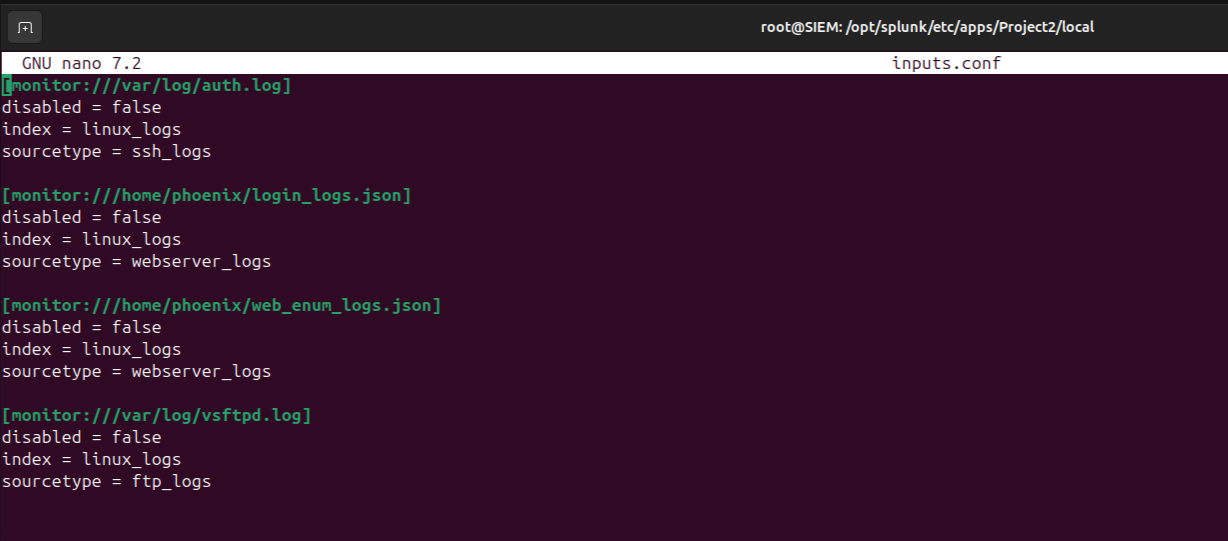
inputs.conf configuration in Splunk for log ingestion
🛠 Field Extraction and Parsing
props.conf
- SSH logs are routed to a transformation for custom regex parsing.
- Web logs in JSON format are automatically parsed using Splunk's JSON handling capabilities.
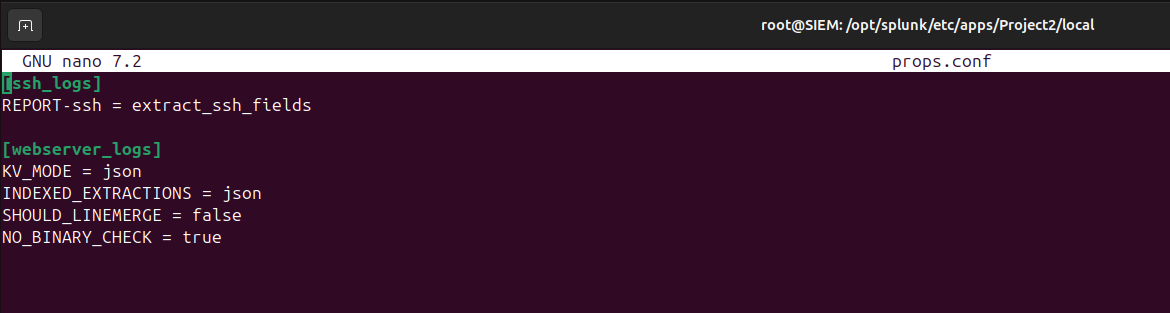
props.conf configuration in Splunk for field extraction
transforms.conf
- Extracts
action,user, andsrc_ipfields from SSH logs.

transforms.conf configuration in Splunk for SSH log field extraction
fields.conf
- Ensures the extracted fields are indexed and available for efficient searching.
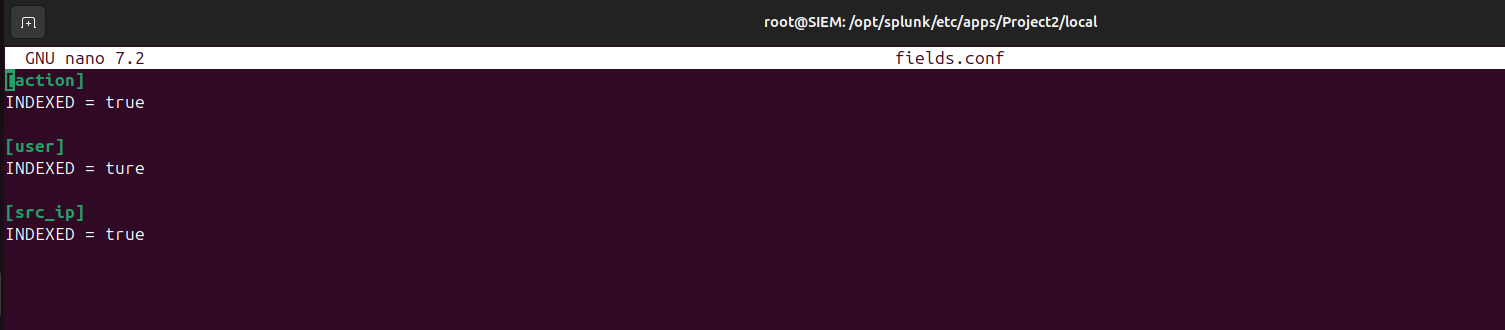
fields.conf configuration in Splunk for indexing extracted fields
Threat Simulation using Kali Linux
1. SSH & FTP Brute-Force Attacks
- Simulated brute-force attacks using Hydra targeting:
- OpenSSH service
- VSFTP server
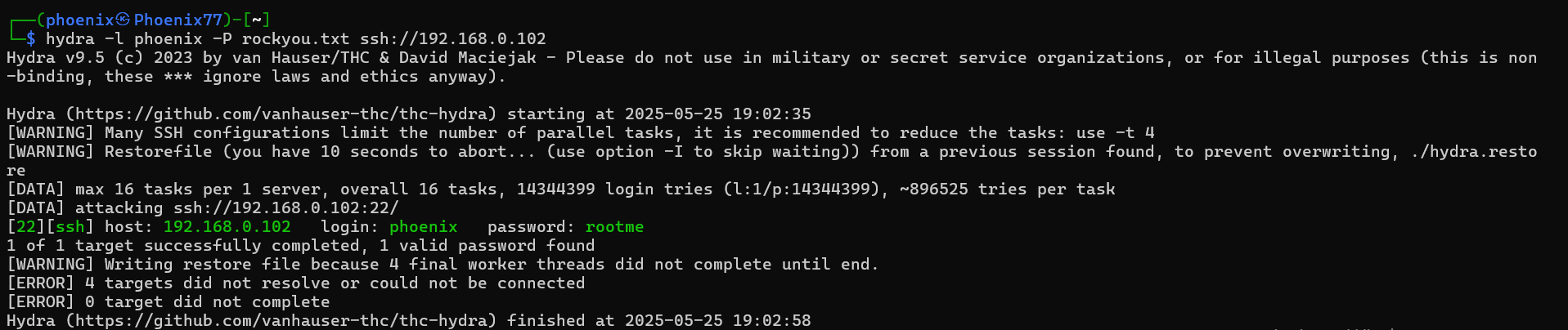
SSH brute-force attack using Hydra

FTP brute-force attack using Hydra
2. Web Login Brute Force
Simulated brute-force attacks using Hydra targeting Web Login page
- Used a custom Flask web login form to capture POST login attempts
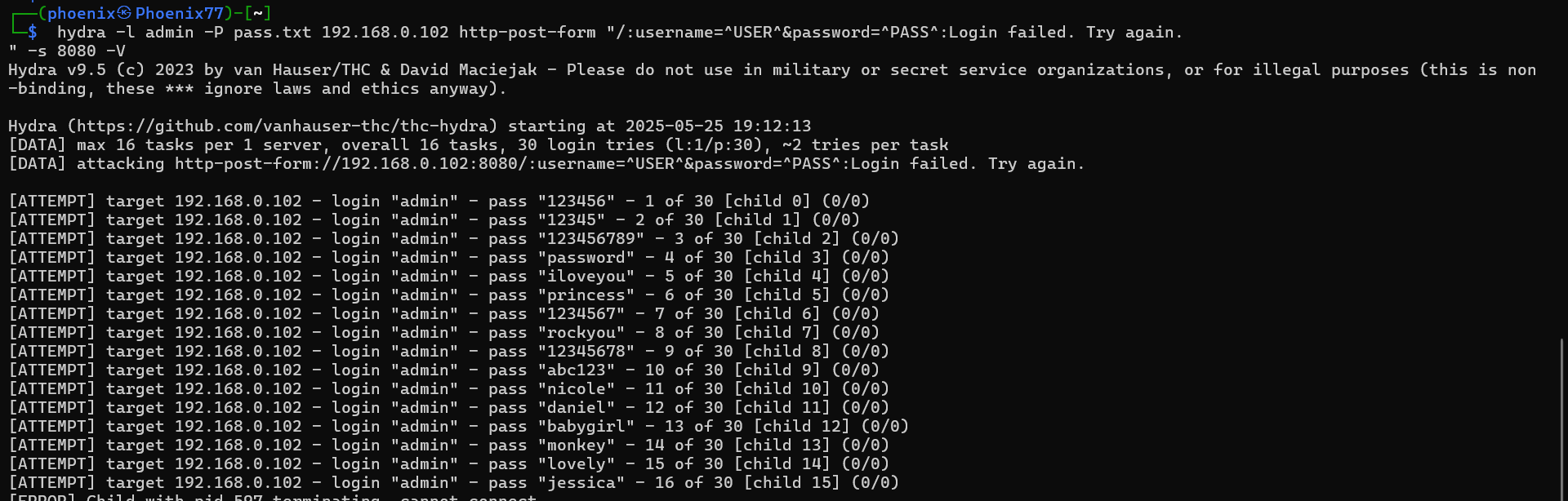
Web Login brute-force attack using Hydra
3. Web Directory Enumeration
- Performed directory enumeration using Gobuster on exposed HTTP server
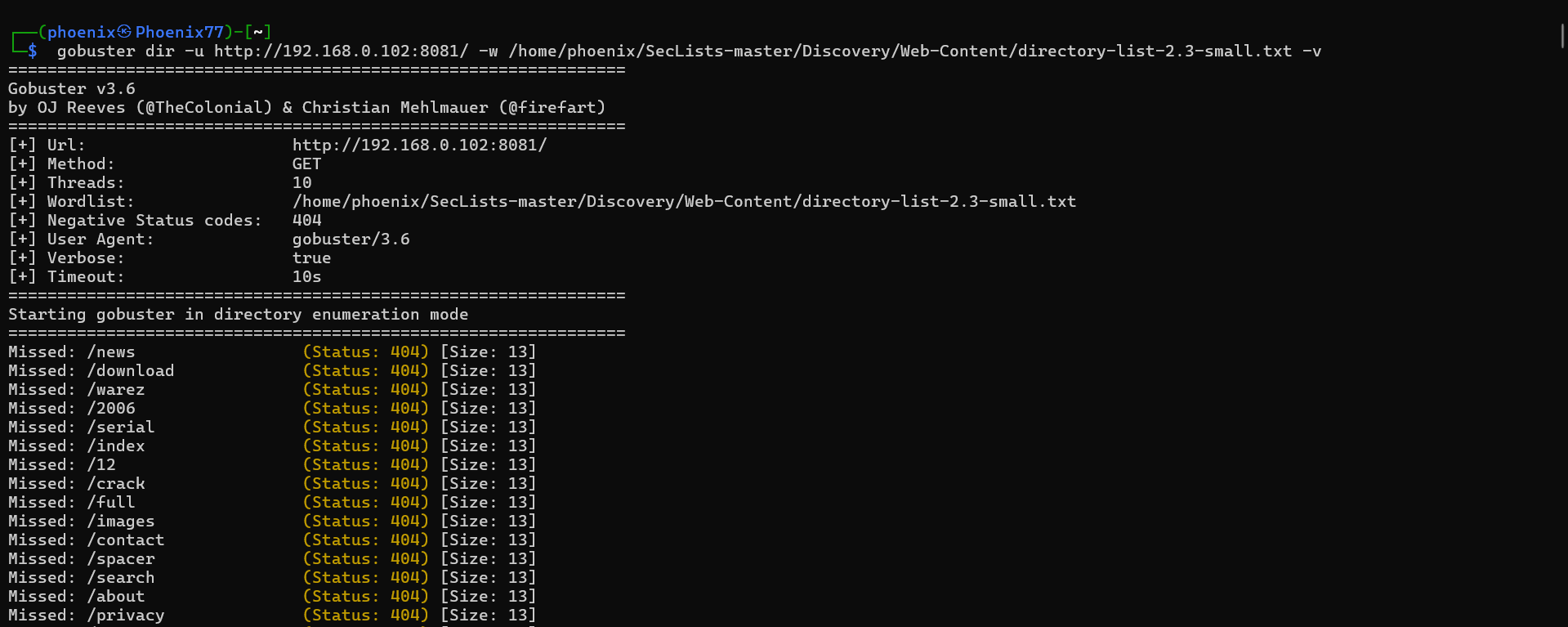
Web directory enumeration using Gobuster
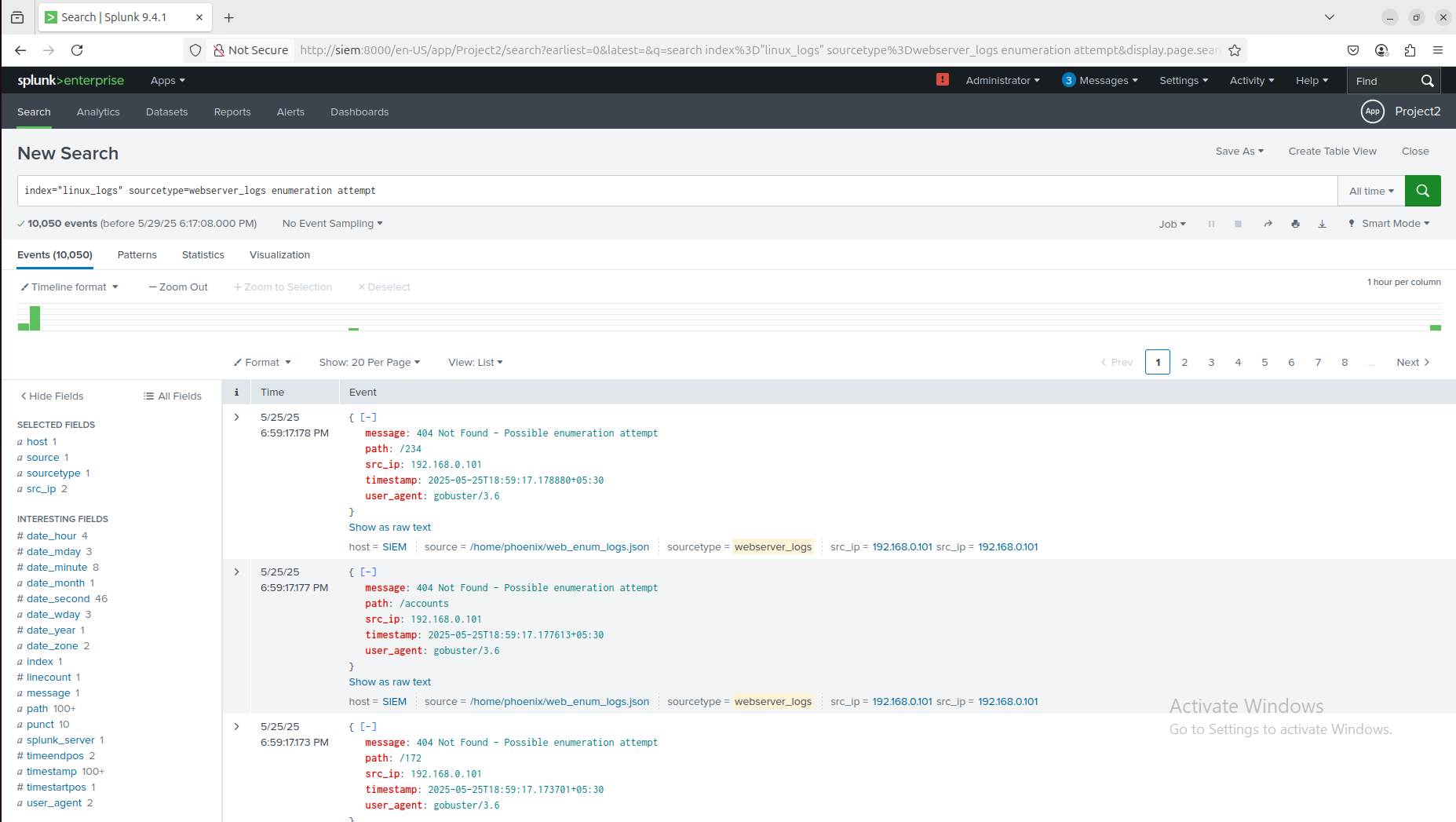
Image showing Web enumeration logs in Splunk
Alerts and Detection in Splunk
Created custom Splunk alerts to detect:
- Multiple failed login attempts from the same IP (SSH, FTP, Web)
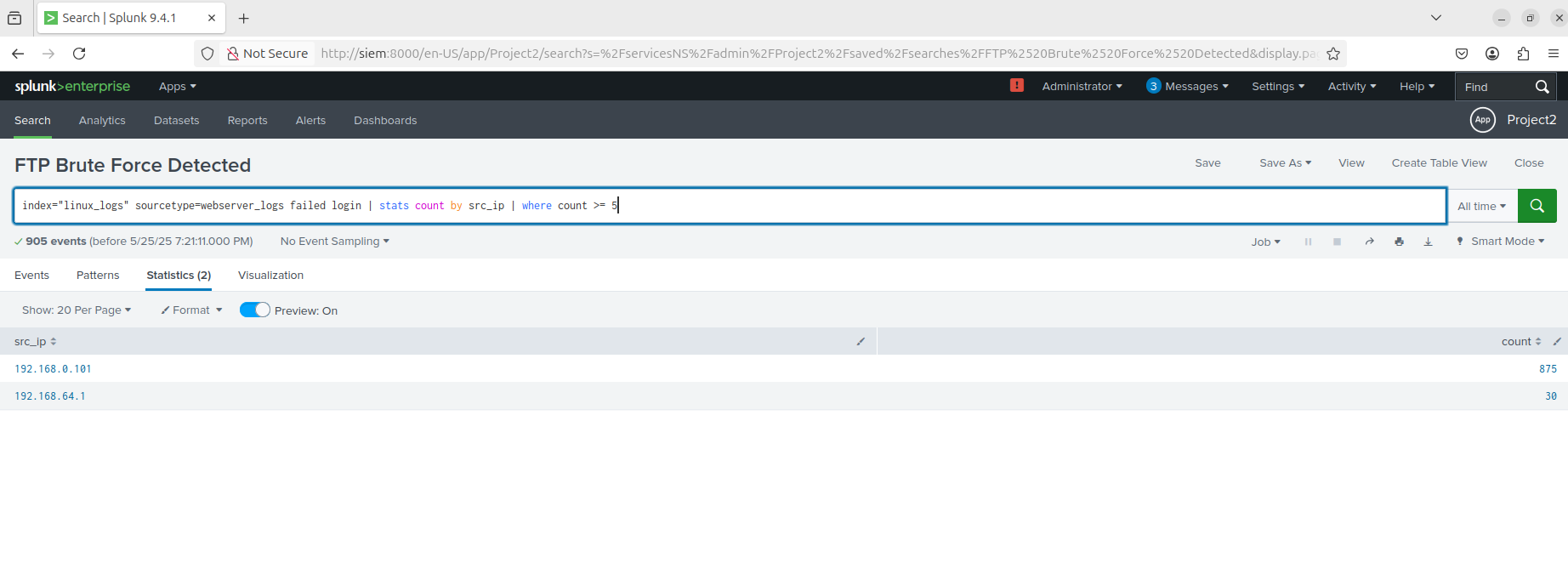
Multiple failed FTP login attempts from same IP in Splunk
- Configured SSH,FTP,Web server alerts to detect brute force attacks
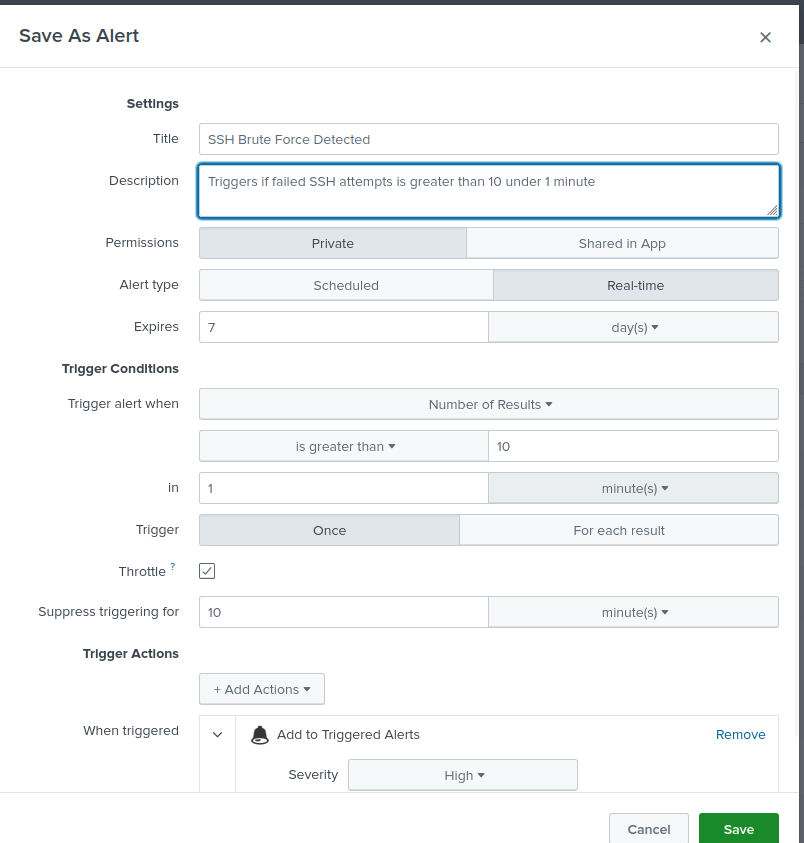
SSH brute-force alert in Splunk
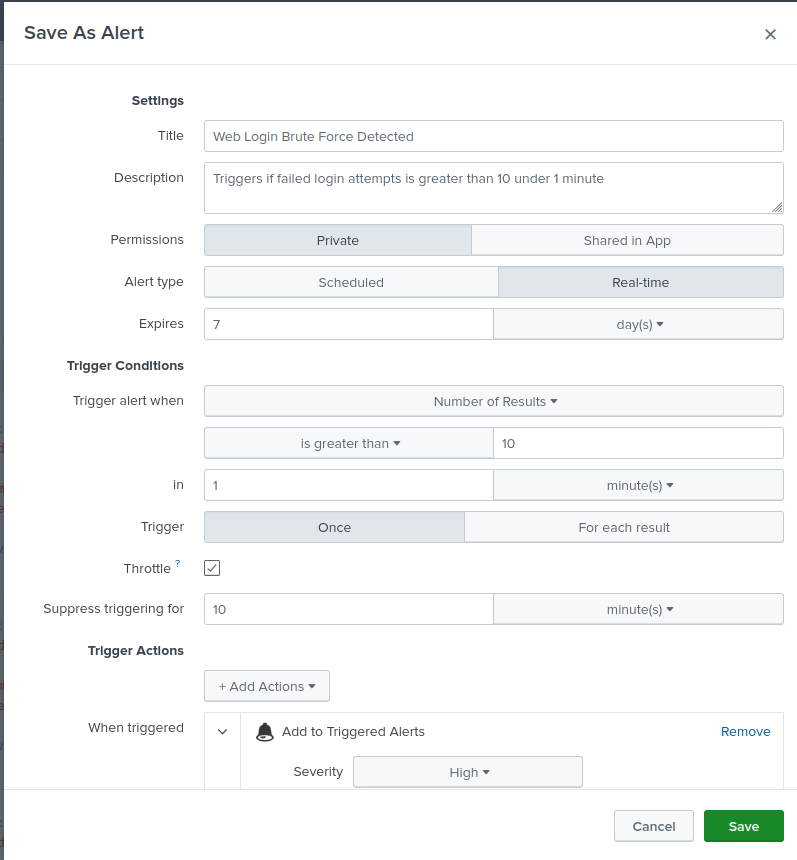
Web login brute-force alert in Splunk
Triggered alerts
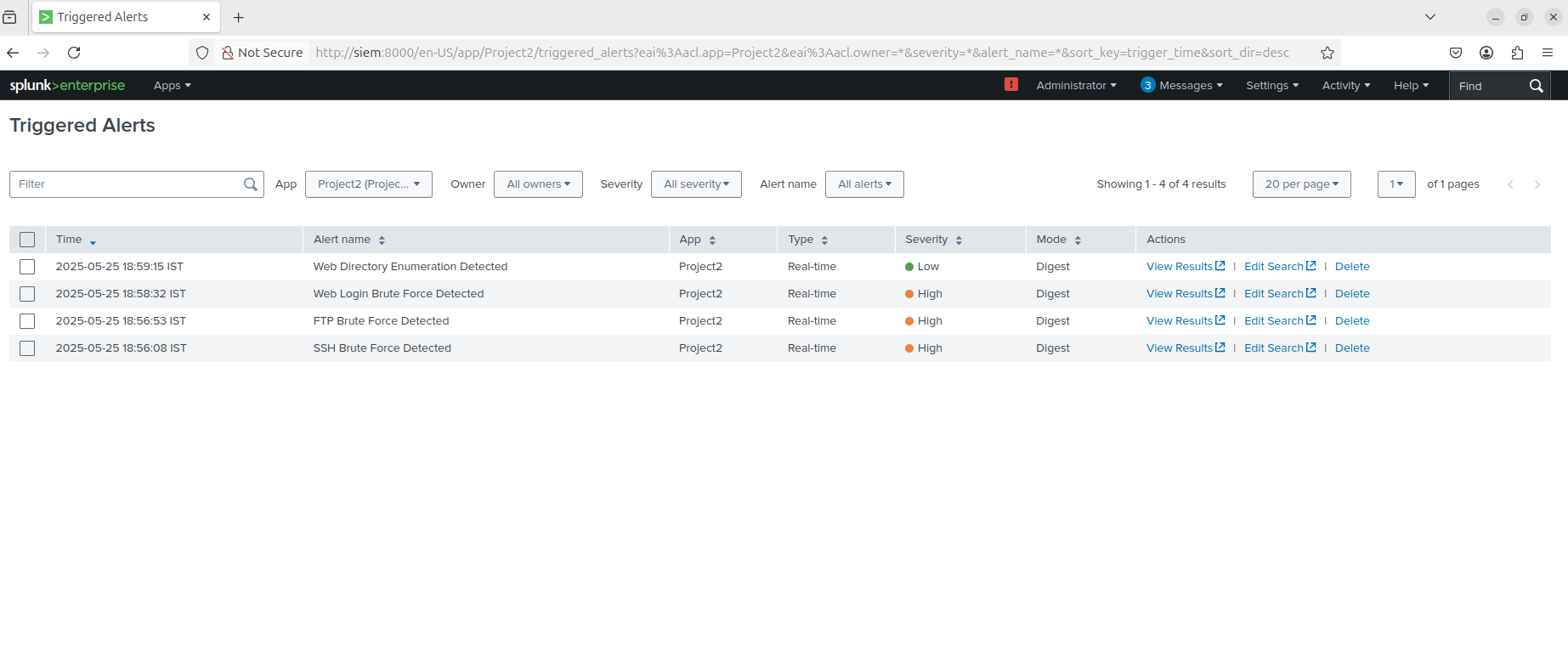
Splunk dashboard showing triggered alerts
Visualization and Dashboards
Dashboards in Splunk provided real-time insights into attacker behavior:
- 🔍 Top attacking IP addresses
- 👤 Most used Passwords
Dashboards were built using Splunk's search queries and visual panels like bar charts, pie charts.
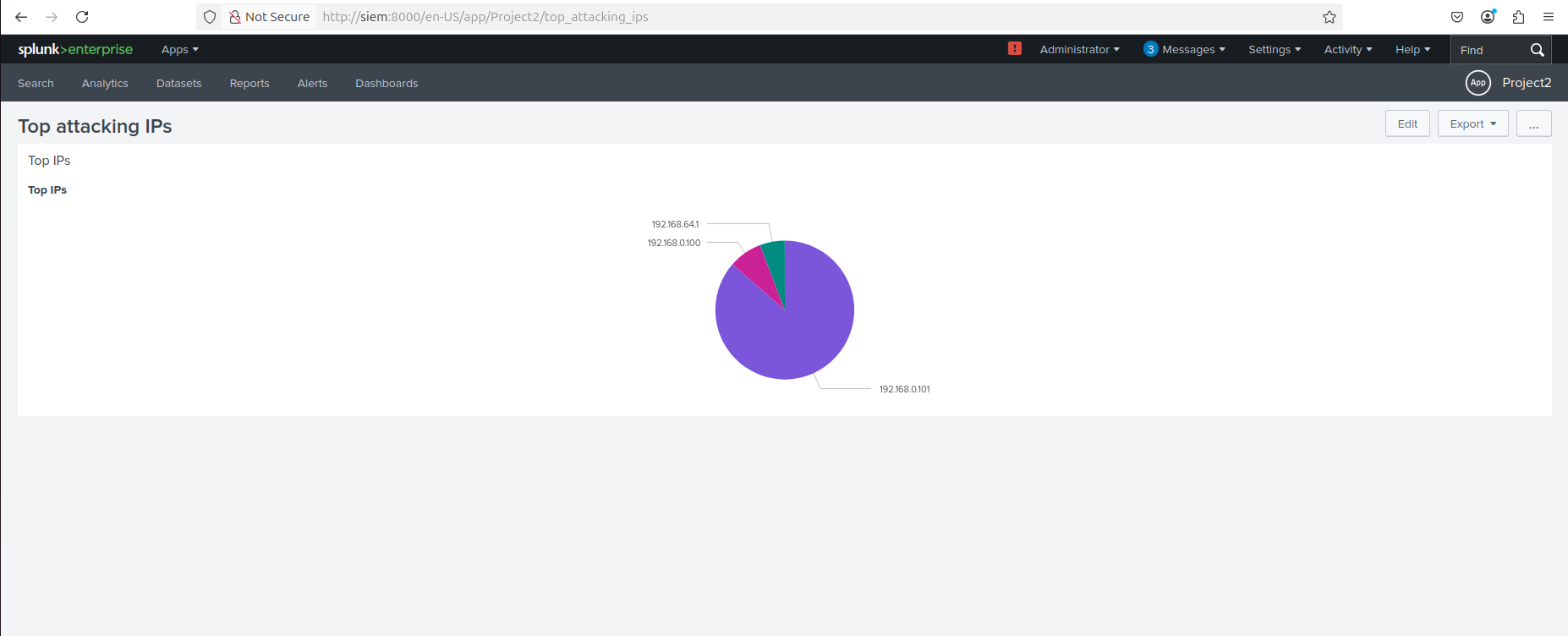
Splunk dashboard showing top attacking IP addresses
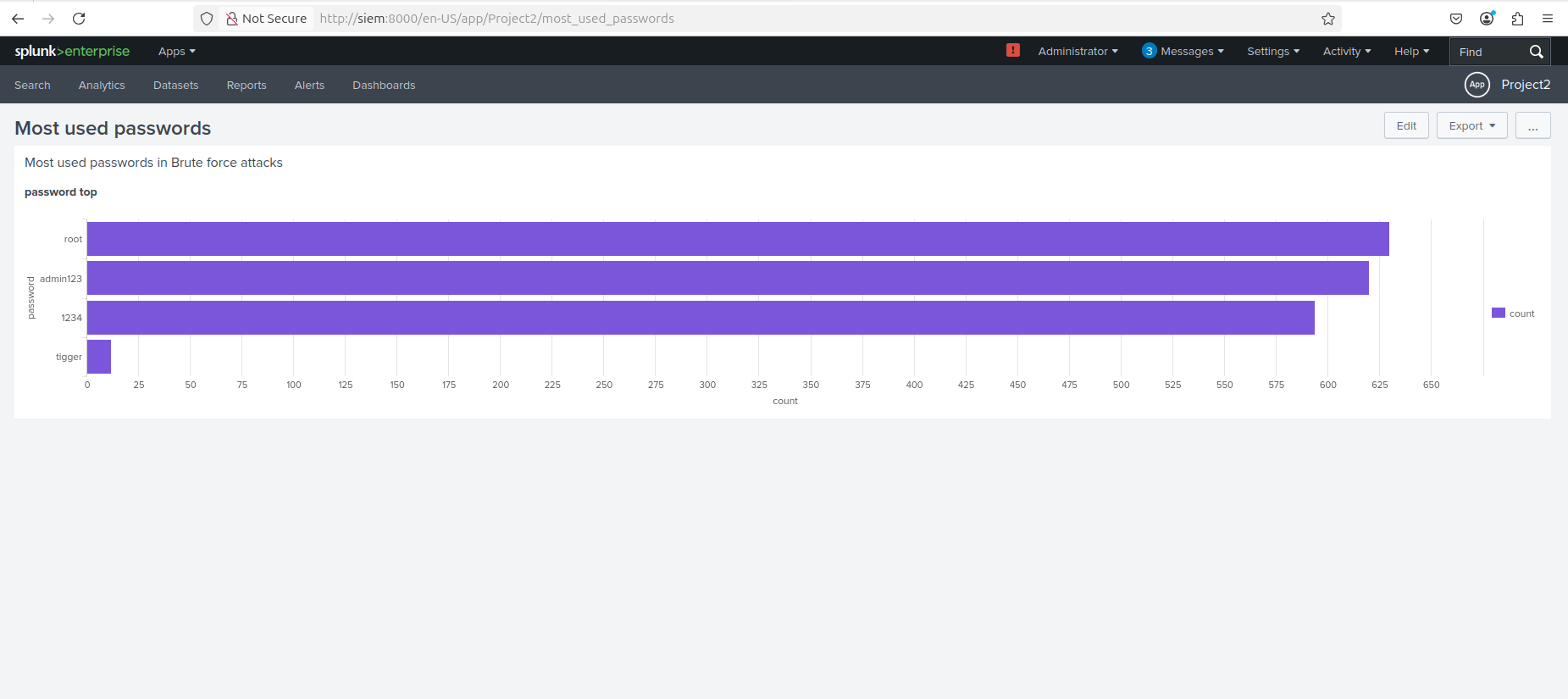
Splunk dashboard showing most used passwords
Results
- Detected brute-force and enumeration attacks in near real-time
- All simulated attacks were logged with metadata: IP, action, user, timestamp
- Alerts and dashboards gave clear visibility into attacker tactics
Conclusion
This project enhanced my skills in:
- Deploying and configuring a SIEM (Splunk)
- Simulating and analyzing attacker behavior
- Writing regex for field extraction and configuring Splunk's ingestion pipeline
- Creating visualizations and alerts for real-time detection
It showcases how Splunk can be used effectively for threat detection and log correlation in a realistic cyber defense setup.