Elastic SIEM Setup and Threat Detection Using Honeypots
Project Overview
In this project, I deployed a complete SIEM solution using the Elastic Stack (ELK) to monitor and analyze real-world cyber attacks. I created a simulated attack surface using honeypots — specifically, the Cowrie SSH honeypot and a custom Flask-based fake login page.
I used Filebeat to collect and forward logs from both honeypots to Logstash, where the data was parsed and enriched before being stored in Elasticsearch. I then used Kibana to visualize the data and configure SIEM detection rules that identified brute-force attacks in real time.
Project Objectives
- Deploy Elastic SIEM (Elasticsearch, Logstash, Kibana) for threat detection
- Simulate attack surfaces using Cowrie and a fake web login form
- Collect and ship logs in real time using Filebeat
- Visualize attacker behavior using Kibana dashboards
- Configure SIEM detection rules to trigger alerts on brute-force attempts and suspicious IPs
Tools and Technologies Used
Elastic Stack (ELK):
- Elasticsearch
- Logstash
- Kibana
Security & Monitoring Tools:
- Elastic SIEM
- Cowrie SSH Honeypot
- Custom Flask Fake Login Page
- Filebeat
- Kali Linux (Hydra for brute-force simulation)
System Setup
1. ELK Stack Deployment
I installed and configured Elasticsearch, Logstash, and Kibana on an Ubuntu VM.
I set up Logstash pipelines to parse logs received from Filebeat.
Kibana was used for visualizing the logs and managing SIEM detection rules.
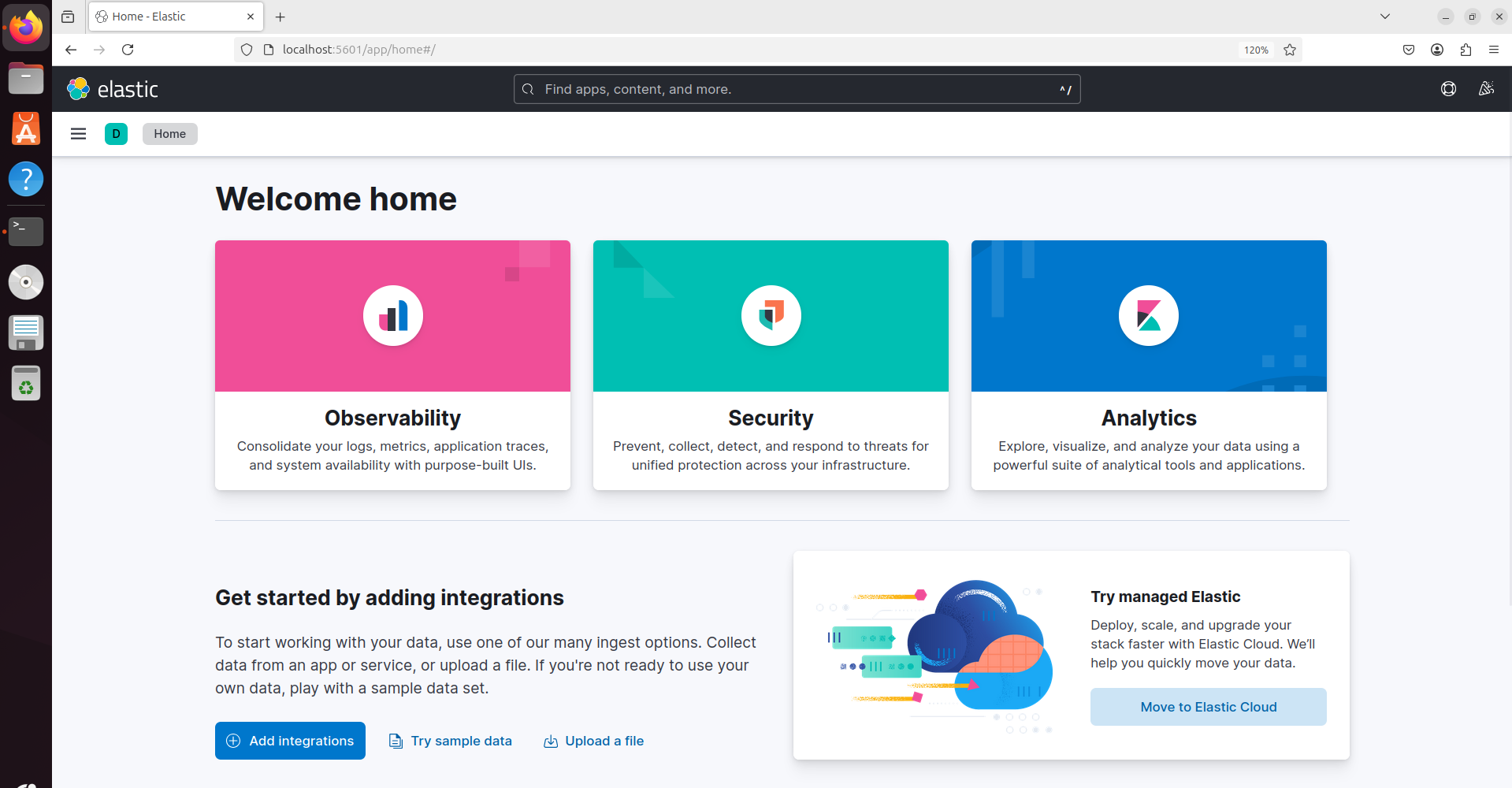
ELK Stack deployment on Ubuntu VM
2. Honeypot Setup
I deployed two honeypots on the same VM:
- Cowrie SSH honeypot, to emulate an SSH service and log login attempts
- A custom Flask-based fake login page, to capture web-based brute-force activity
I confirmed their exposure using Nmap, which revealed open ports (SSH and HTTP).
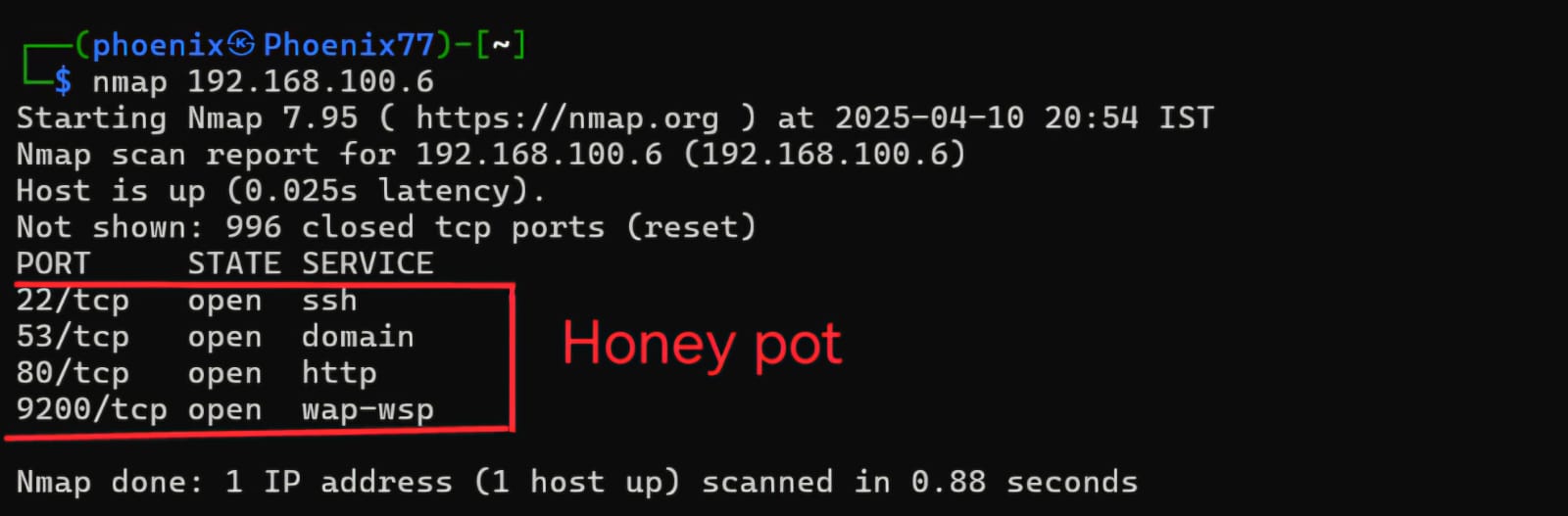
Nmap scan results showing honeypot's open ports (SSH, HTTP)
3. Filebeat Configuration
I configured Filebeat to collect logs from both Cowrie and the Flask login page.
Logs were parsed using custom modules and shipped to Logstash for enrichment.
Logstash then forwarded the data to Elasticsearch, where it could be queried and visualized.
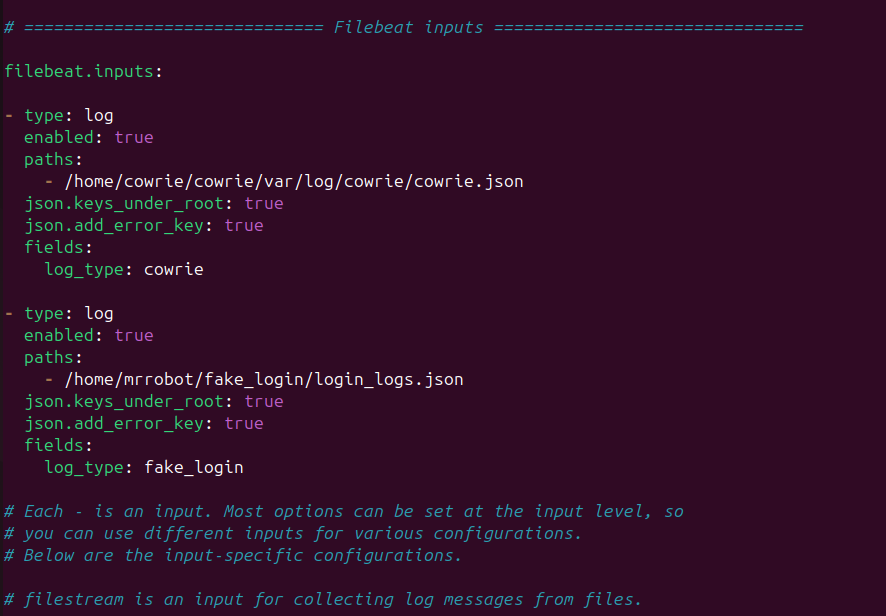
Filebeat configuration showing log collection from Cowrie honeypot and fake login page
Threat Simulation and Detection
1. Brute-Force Attack Simulation
I used Hydra from a Kali Linux system to simulate brute-force attacks against:
- The Cowrie SSH honeypot
- The Flask web login page
All attack logs — including attempted usernames, passwords, source IPs, and timestamps — were captured and indexed.
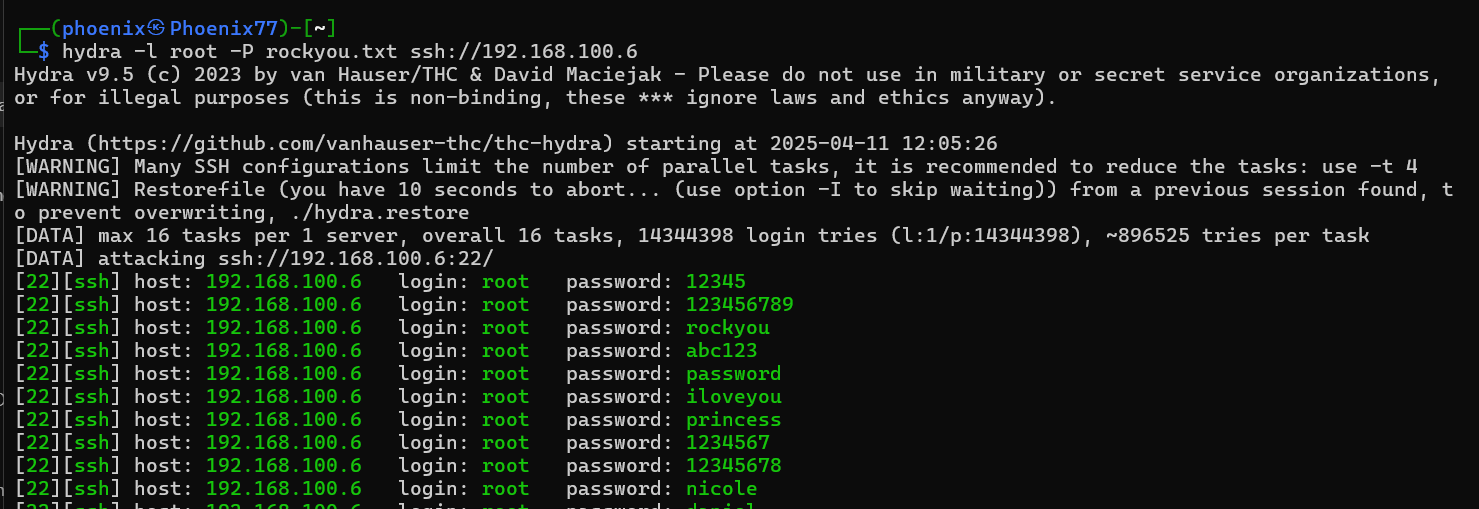
Brute force attack simulation using Hydra against SSH honeypot
2. Alert Setup in Elastic SIEM
I created custom detection rules in Kibana to identify:
- Multiple failed SSH login attempts
- Multiple failed web login attempts
- Access attempts from suspicious or unusual IP addresses
I configured threshold-based alerts to trigger when repeated failures occurred from the same IP.
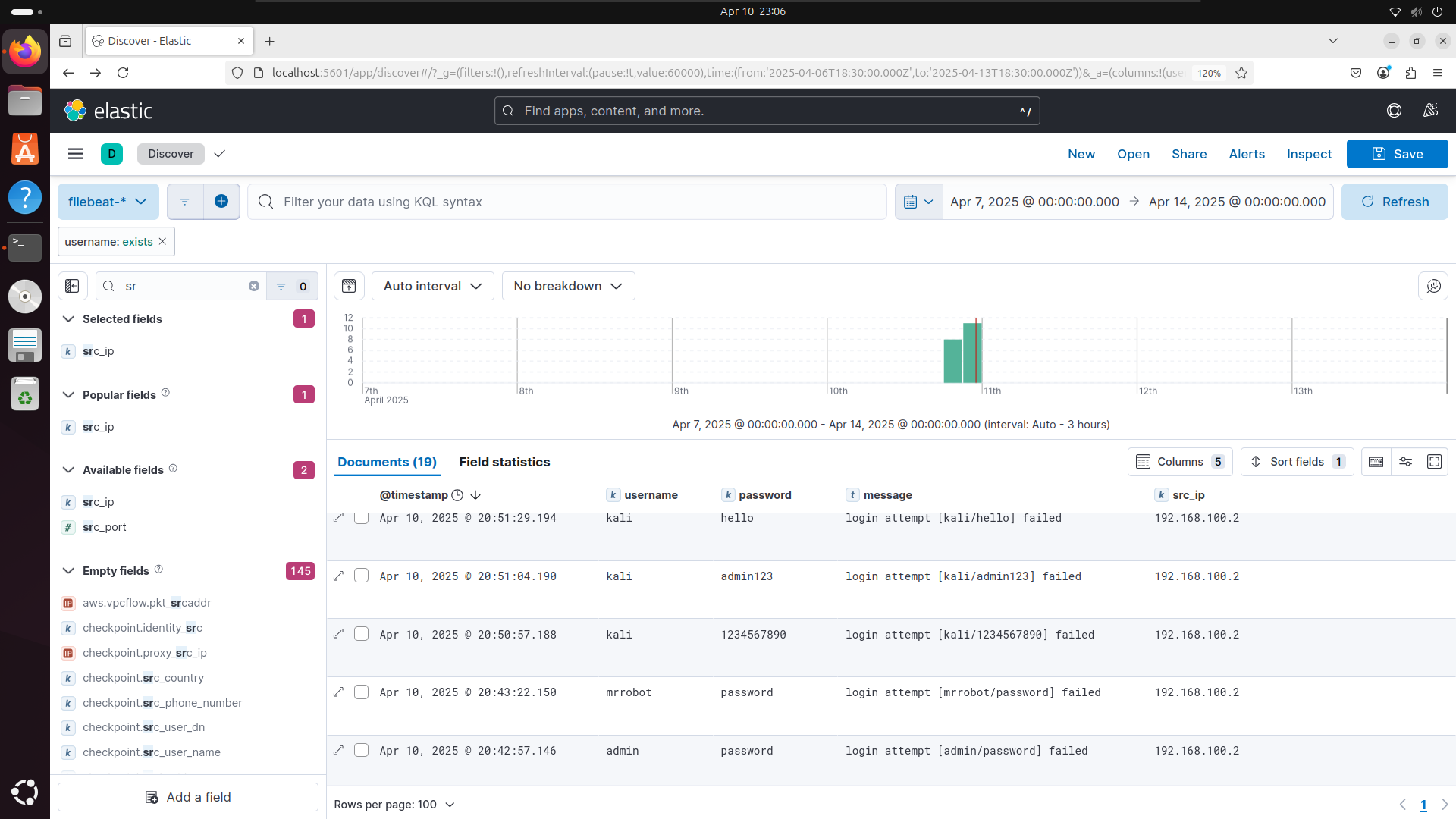
SIEM alert logs showing SSH brute force attempts
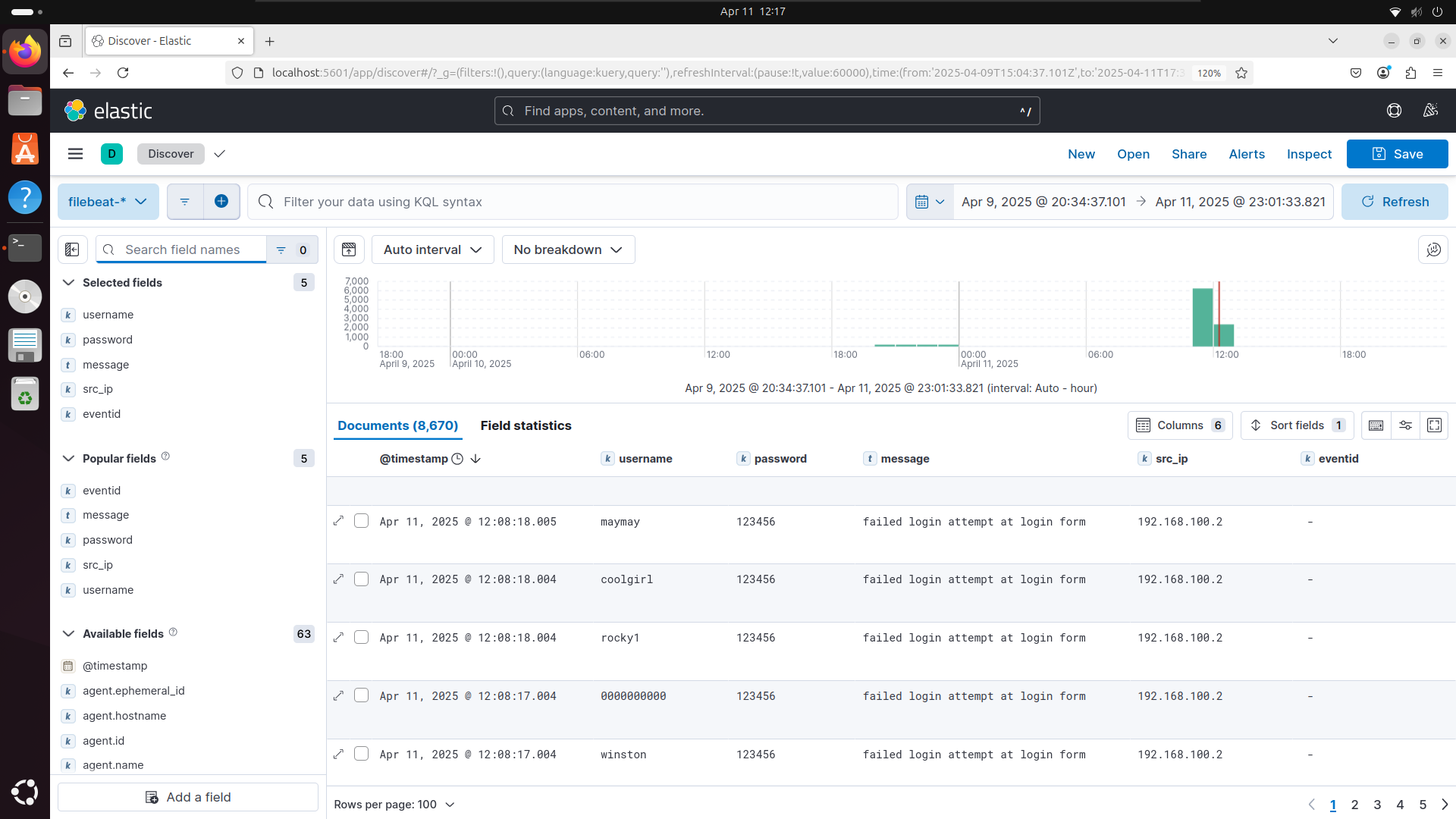
SIEM alerts showing web login brute force attempts
Visualization and Dashboards
Using Kibana, I created dashboards that visualize:
- Top Attacking IP Addresses
- Most Used Usernames in login attempts
- Most Used Passwords across all brute-force attempts
- Login Attempts Over Time for trend analysis
These dashboards provided a clear view into attacker behavior and brute-force patterns.
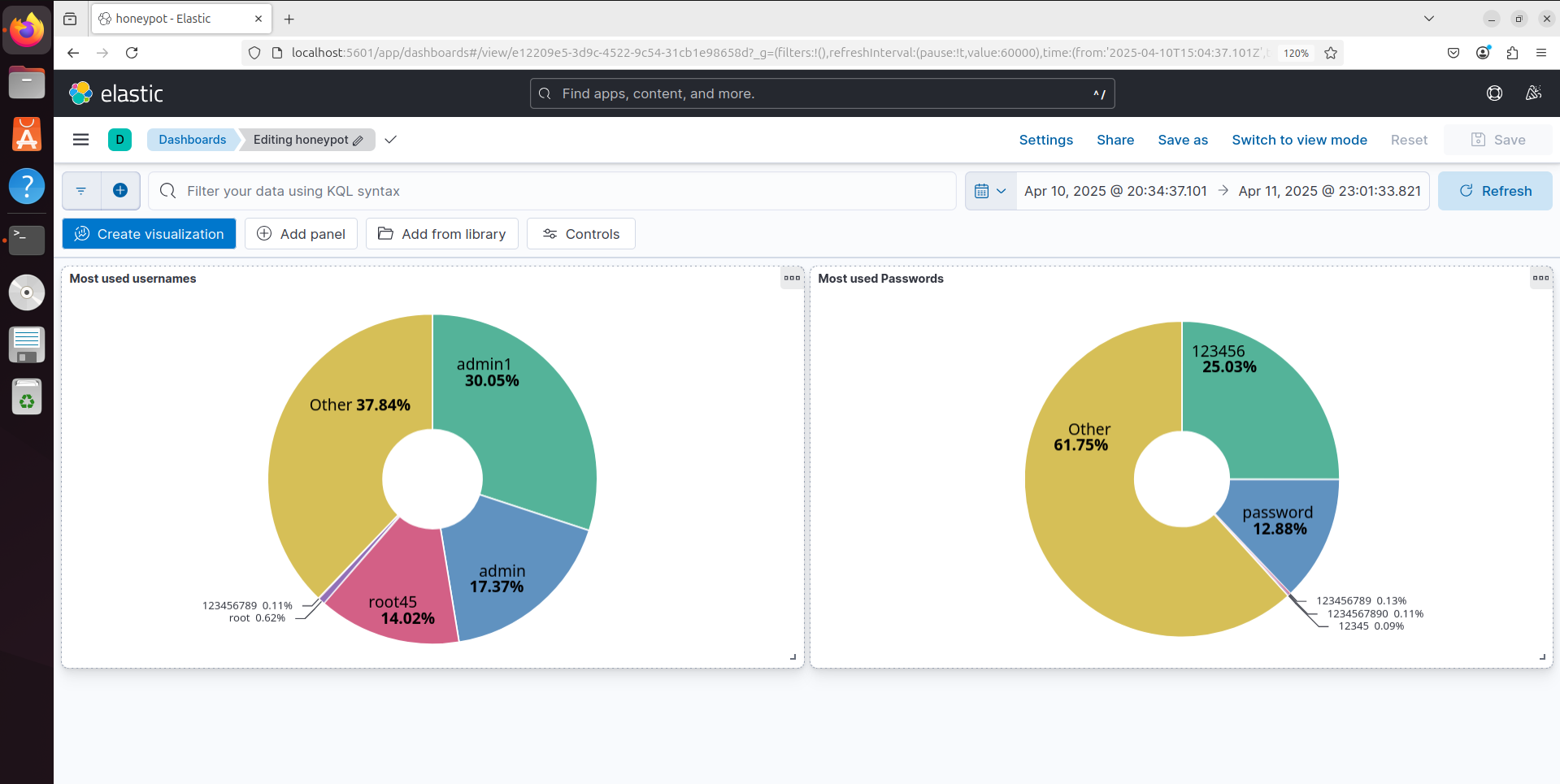
Kibana dashboard showing username and password patterns
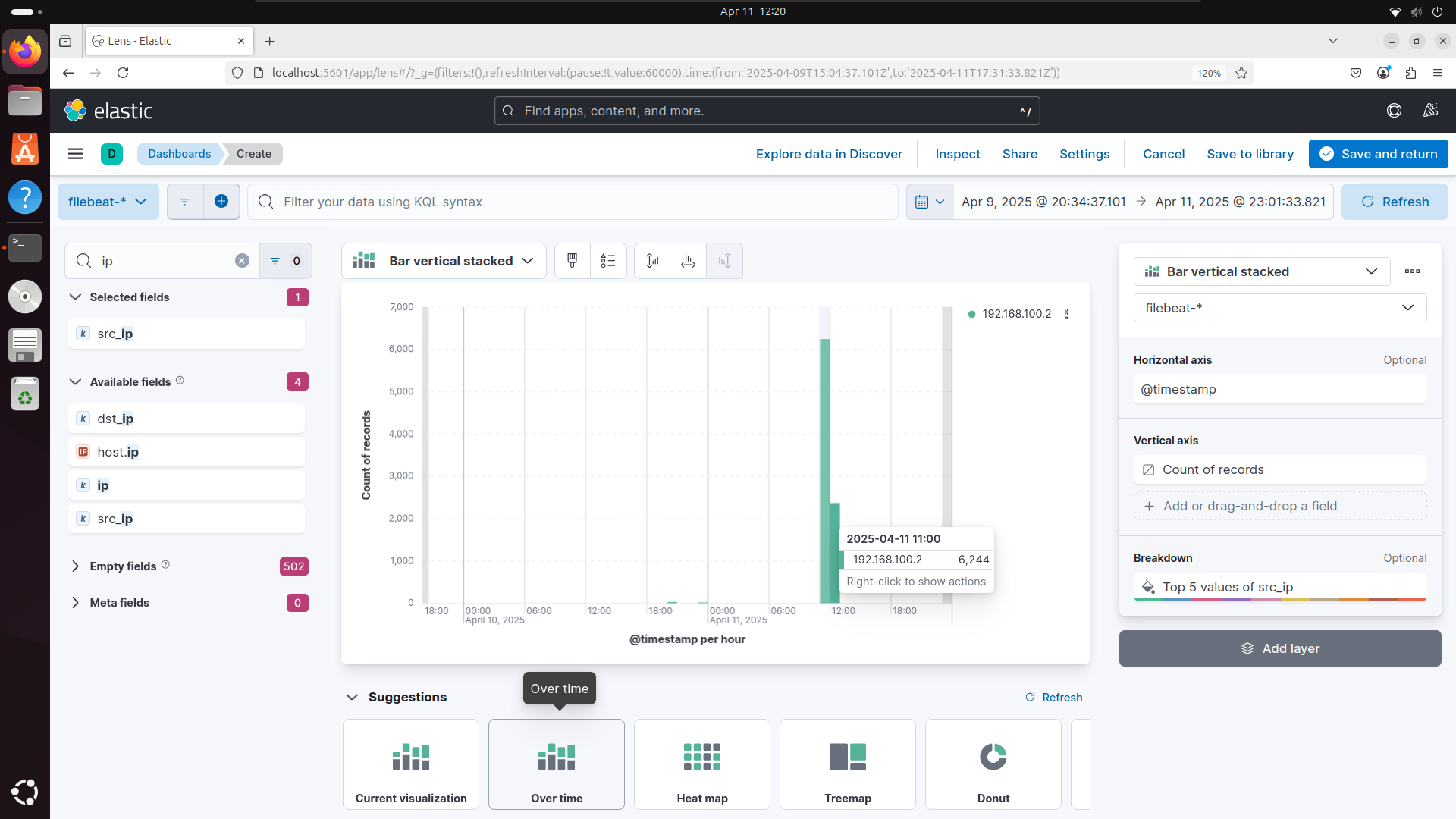
Top attacking IP addresses visualization
Results
- The system successfully detected and alerted on brute-force attempts in near real-time
- All login attempts were logged with metadata: username, password, IP, and timestamp
- Dashboards enabled easy tracking of attack trends, popular credentials, and IP sources
- The project proved the effectiveness of using Elastic SIEM for monitoring and detection
Conclusion
This project helped me gain hands-on experience in:
- Deploying and managing a SIEM system using the Elastic Stack
- Creating and monitoring honeypots to simulate real attack scenarios
- Writing custom detection rules and visualizing threat activity
- Understanding the process of log parsing, enrichment, and alert generation
It showcased the potential of open-source SIEM solutions in identifying, analyzing, and responding to cyber threats.
Future Improvements
- Deploy additional honeypots (e.g., HTTP or FTP emulators)
- Integrate machine learning in Kibana for advanced anomaly detection
- Set up email/webhook notifications for critical alerts
- Deploy a reverse proxy or WAF for deeper logging and enhanced response