Real-Time Network Intrusion Detection Using Snort and Splunk
Project Overview
In this project, I deployed and configured Snort IDS on an Ubuntu virtual machine to monitor and detect network intrusions in real time. I created and tested multiple custom Snort rules to identify common attack patterns, including Nmap scans, brute-force attempts, reverse shells, and ICMP floods.
To enhance visibility and centralized monitoring, I integrated Snort with existing Splunk Setup, forwarding Snort alerts for real-time analysis and visualization. The project successfully demonstrated how open-source IDS and SIEM tools can be combined to detect and investigate malicious activity.
Project Objectives
- Deploy Snort IDS on Ubuntu VM for intrusion detection.
- Configure custom Snort rules to detect specific attack types.
- Simulate real-world attacks using Kali Linux.
- Forward Snort alerts to Splunk for centralized monitoring.
- Visualize attacker behavior and validate detection through Splunk dashboards.
Tools and Technologies Used
- Snort IDS (Ubuntu VM)
- Splunk Enterprise (SIEM platform)
- Kali Linux (attack simulation)
- Nmap (port scanning)
- Hydra (SSH brute-force)
- hping3 (ICMP flood)
- Netcat (reverse shell)
System Setup
1. Snort Installation and Configuration
- I Installed Snort on Ubuntu VM using the following commands:
sudo apt update && sudo apt upgrade -y
sudo apt install snort -y- I Configured Snort to monitor my home network IP range.
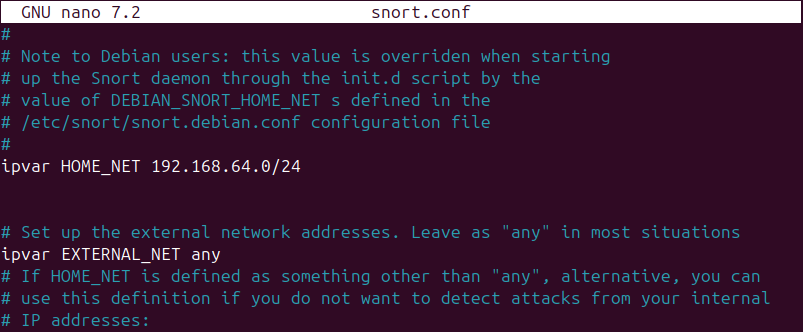
Configured HOME_NET to monitor my home network IP range
2. Custom Detection Rules
I created custom rules in the Snort local rules file to detect malicious activity.
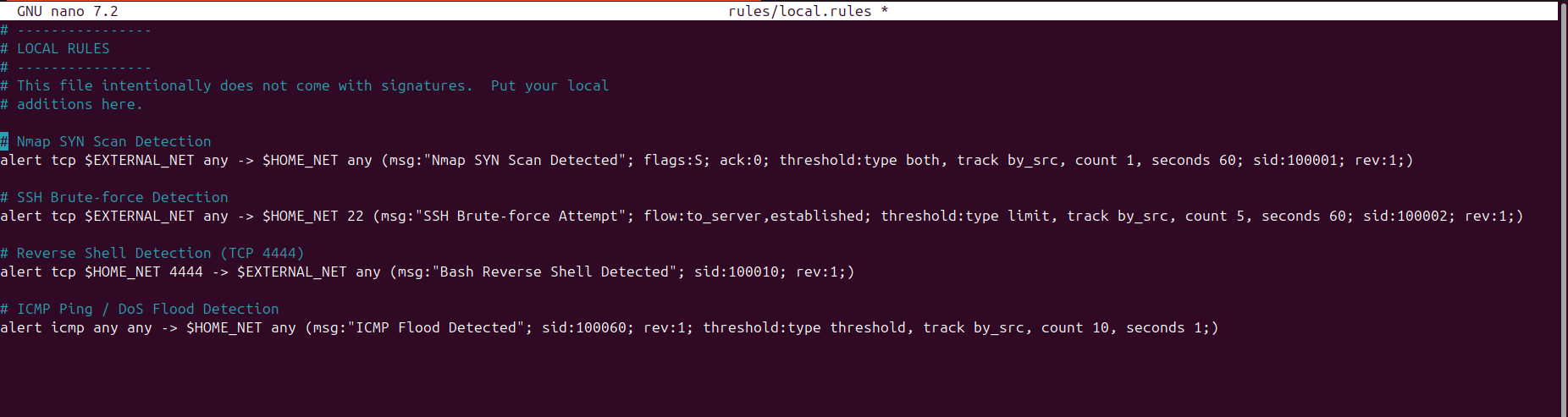
Custom Snort rules used for detecting attack scenarios
3. Running Snort in IDS Mode
- I executed Snort in alert mode to capture malicious traffic in real time:
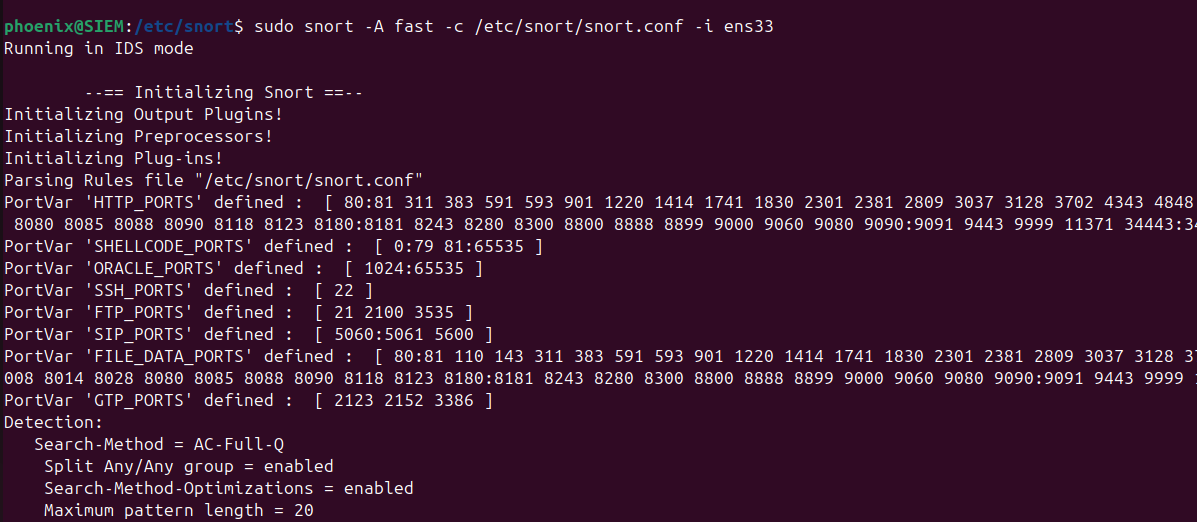
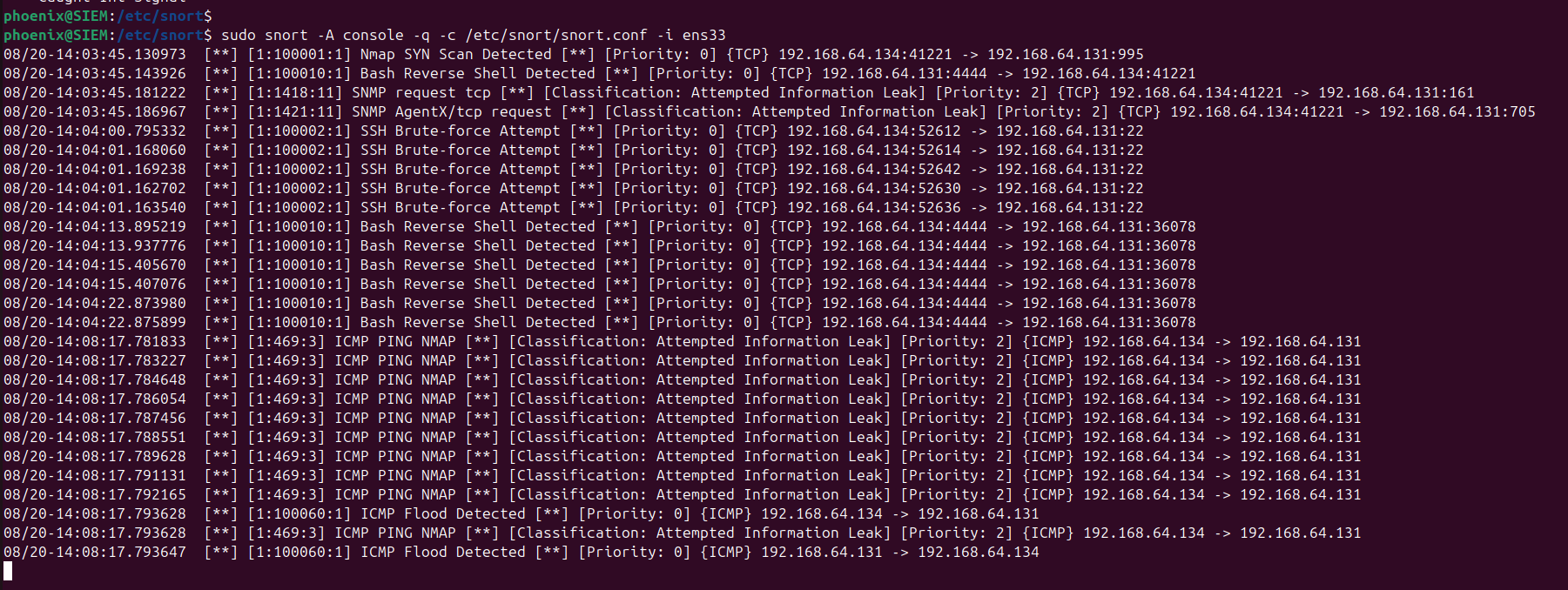
Snort running in IDS alert mode
- Snort stored alerts in:
/var/log/snort/alert_fast.logAttack Simulation
1. Nmap SYN Scan — Reconnaissance
I performed a SYN scan using Nmap from Kali Linux to detect open ports and services on the target system
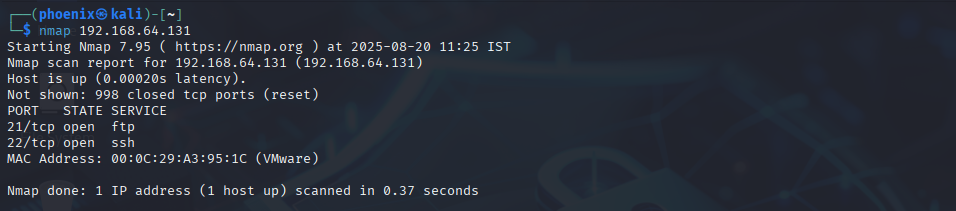
Nmap Scanning on Kali Linux
2. SSH Brute-force — Credential Access
I used Hydra to brute-force SSH credentials of the target system
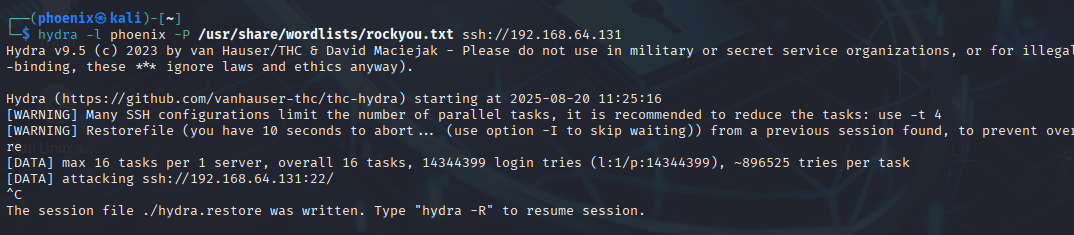
SSH Brute-force attack on Kali Linux
3. ICMP Flood — Denial of Service
I launched an ICMP flood attack using hping3 to overwhelm the target system's network resources
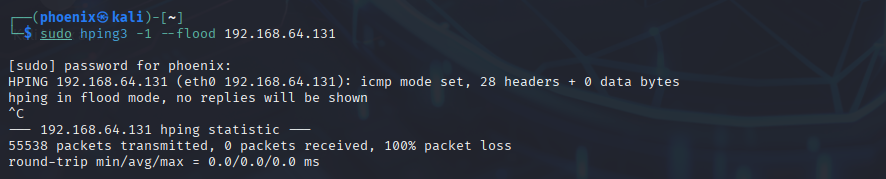
ICMP Flood attack on Kali Linux
4. Reverse Shell — Command & Control
I used Netcat to establish a reverse shell connection to the target system to gain remote access
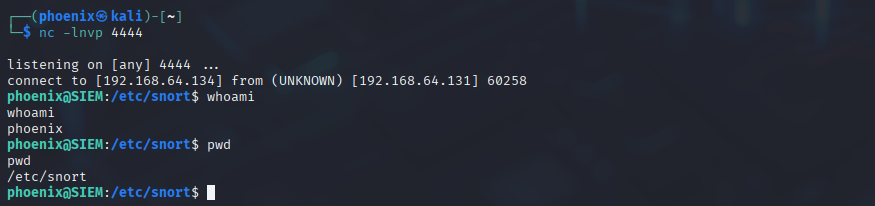
Reverse Shell on Kali Linux
Snort Successfully Detected all attacks in real time
Splunk Integration
1. Configuration
I integrated Snort into the existing Splunk setup by configuring it to monitor Snort alert logs. This was done by adding the following entry in inputs.conf:
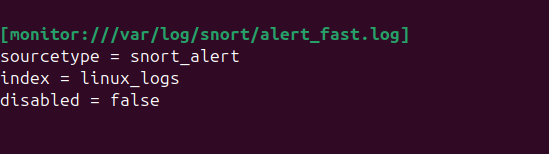
Splunk inputs configuration to monitor Snort alert log
This allowed the existing Splunk instance to collect and index Snort alerts in real time alongside other log sources.
2. Monitoring Alerts in Splunk
- I forwarded Snort alerts into Splunk, which allowed me to monitor and visualize detections in real time:
Nmap Scan Detection – Reconnaissance alerts displayed in Splunk
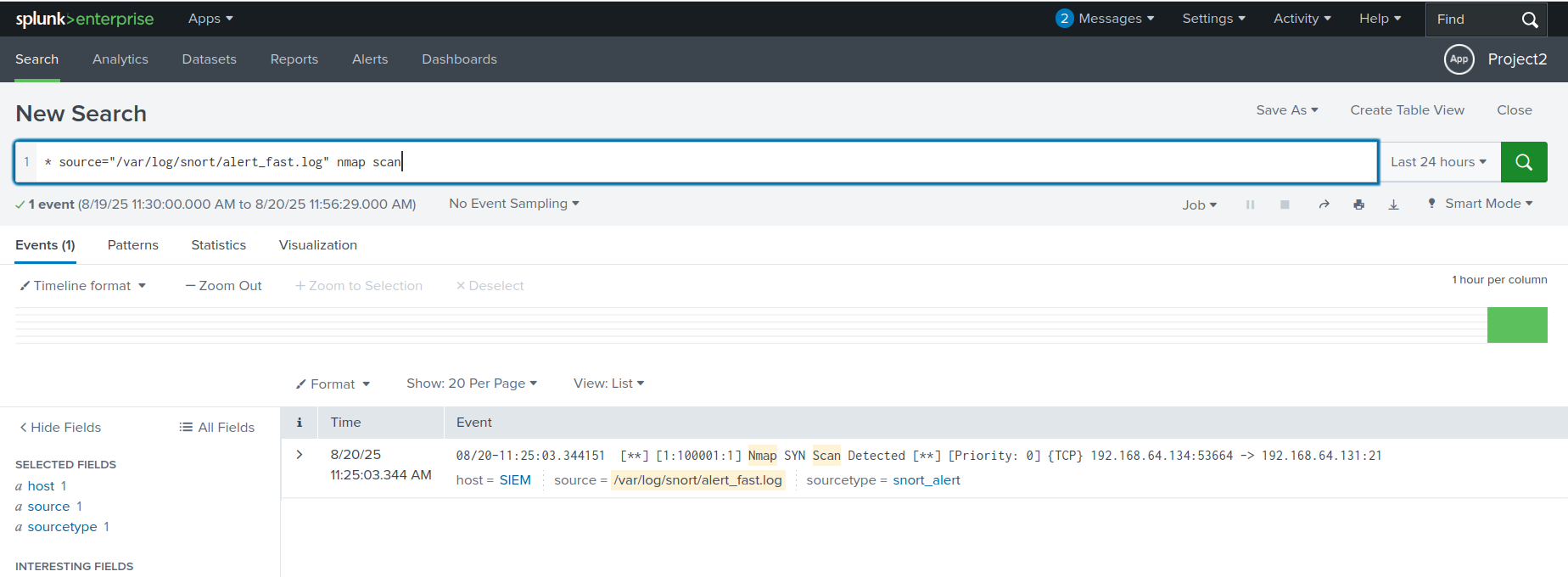
Splunk detection of Nmap reconnaissance activity
SSH Brute-force Detection – Multiple login attempts highlighted.
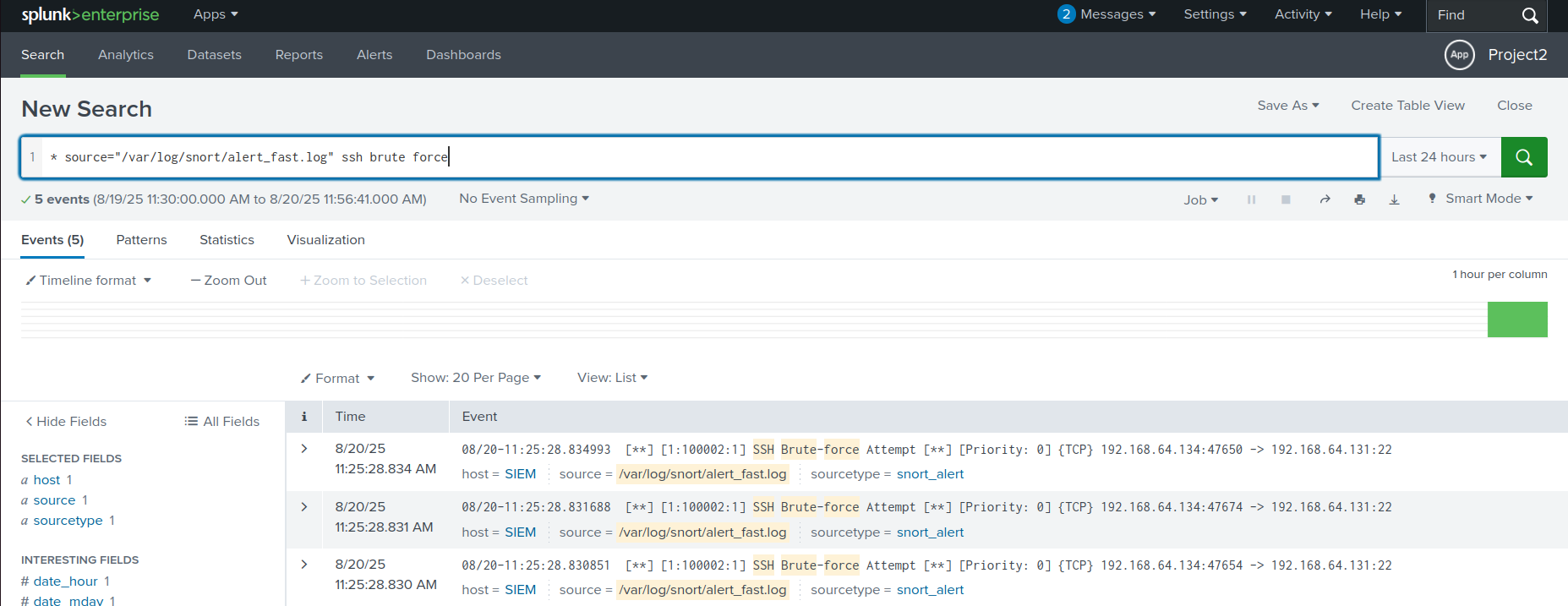
Splunk detection of SSH brute-force attempts
ICMP Flood Detection – High-volume ICMP traffic alerts shown.
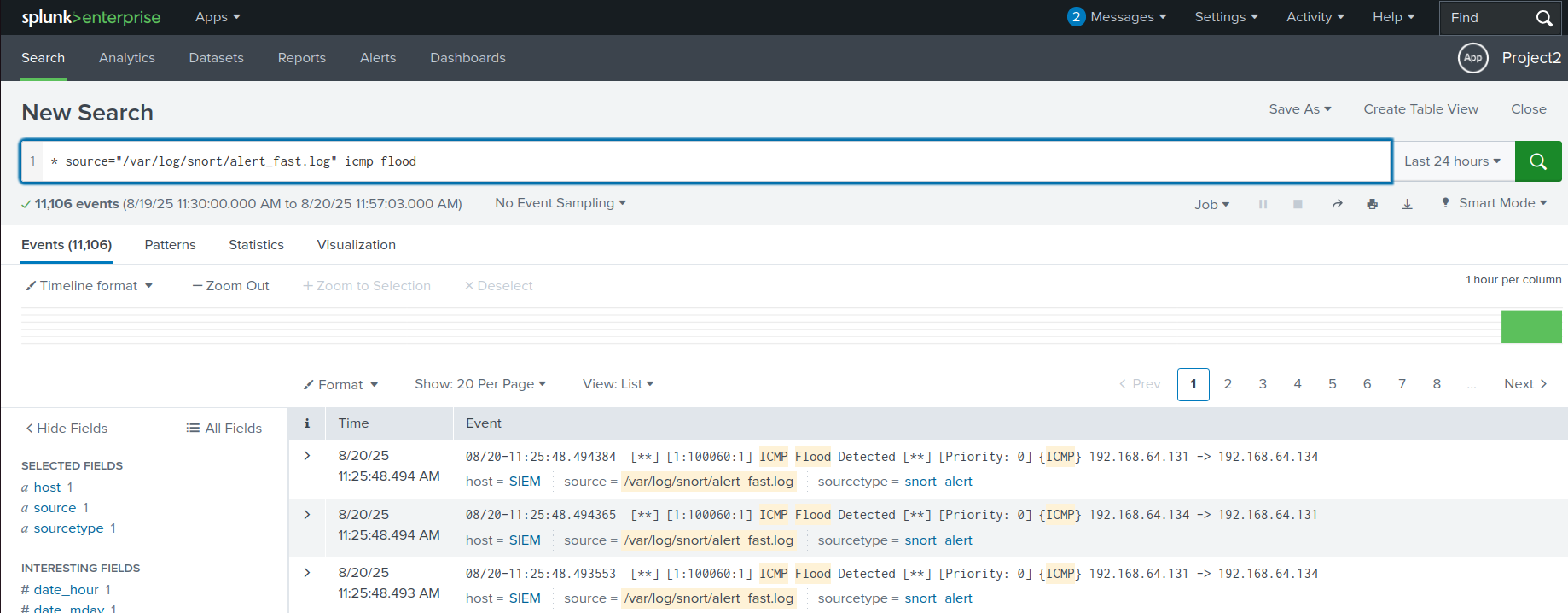
Splunk detection of ICMP flood activity
Reverse Shell Detection – Unauthorized shell connections identified
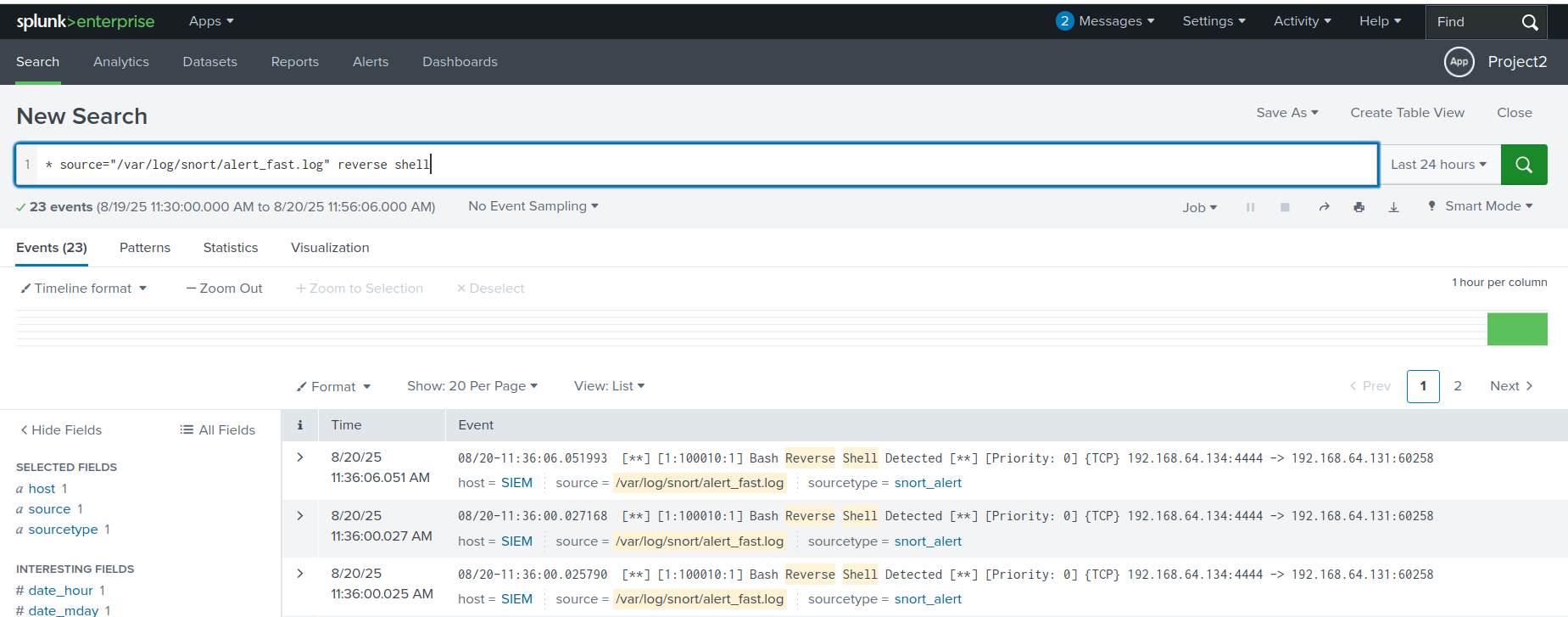
Splunk detection of reverse shell connection
Results
- I successfully detected reconnaissance, brute-force, DoS, and C2 attacks in real time using Snort
- I centralized and visualized all alerts within Splunk
- I validated that custom rules enhanced detection accuracy
Conclusion
Through this project, I gained hands-on experience in deploying Snort IDS, writing detection rules, simulating real-world attacks, and forwarding alerts to Splunk for centralized monitoring. I demonstrated how open-source IDS and SIEM tools can be integrated to provide enterprise-level detection and visualization of adversary techniques.