Wazuh EDR Threat Detection and Attack Simulation Using Atomic Red Team
Project Overview
In this project, I deployed a comprehensive Endpoint Detection and Response (EDR) solution using Wazuh to monitor and detect cyber attacks in real time. To simulate adversary techniques, I leveraged the Atomic Red Team (ART) framework, which provides MITRE ATT&CK–mapped tests for emulating various attack scenarios.
I installed and configured a Wazuh Manager VM and deployed the Wazuh agent on a Windows VM. Sysmon was configured on the Windows endpoint to capture detailed system activity, which the Wazuh agent then forwarded to the manager. I used ART to simulate attacks, and all events were collected, analyzed, and visualized in Wazuh for detection and alerting.
Project Objectives
- Deploy Wazuh EDR solution (Manager + Agent) for threat monitoring and detection
- Configure Sysmon to collect detailed Windows event logs
- Collect and forward Sysmon logs via Wazuh Agent
- Configure custom detection rules to raise alerts on critical techniques
- Simulate MITRE ATT&CK techniques using Atomic Red Team
- Detect, analyze, and visualize attack events in Wazuh
Tools and Technologies Used
- Wazuh Manager (Ubuntu VM)
- Wazuh Agent (Windows VM)
- Sysmon (Windows System Monitor)
ossec.confconfiguration for event collection- Atomic Red Team (PowerShell-based test framework)
- PowerShell for installation, configuration, and attack execution
System Setup
1. Wazuh Deployment
- Installed and configured Wazuh Manager on an Ubuntu VM
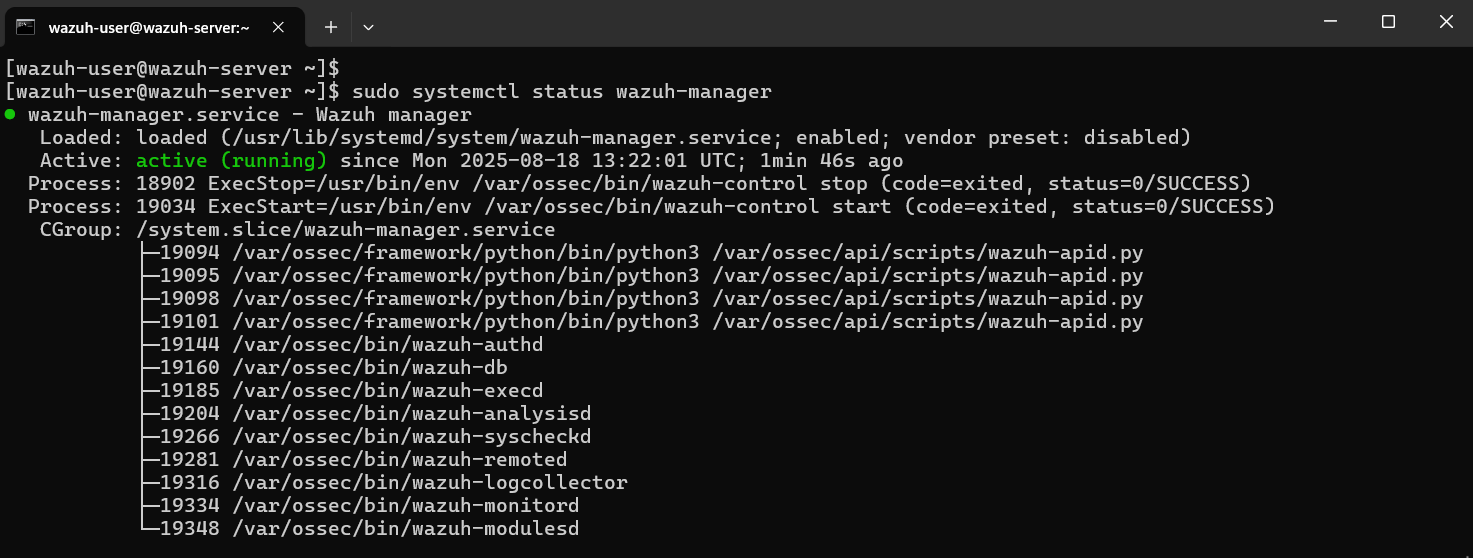
Wazuh Manager installation and configuration on Ubuntu VM
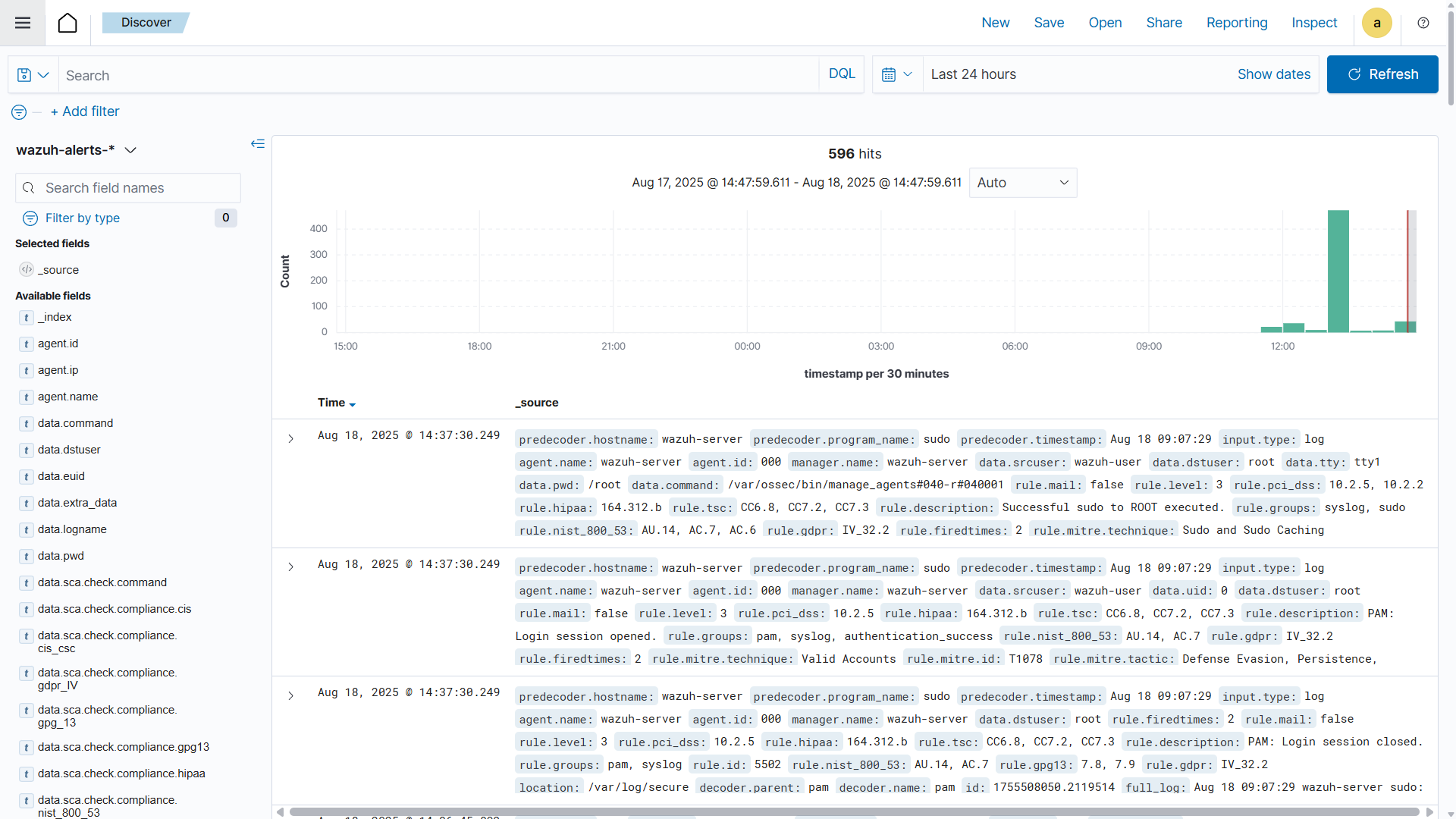
Wazuh Dashboard
- Deployed the Wazuh agent on a Windows VM to monitor endpoint activity
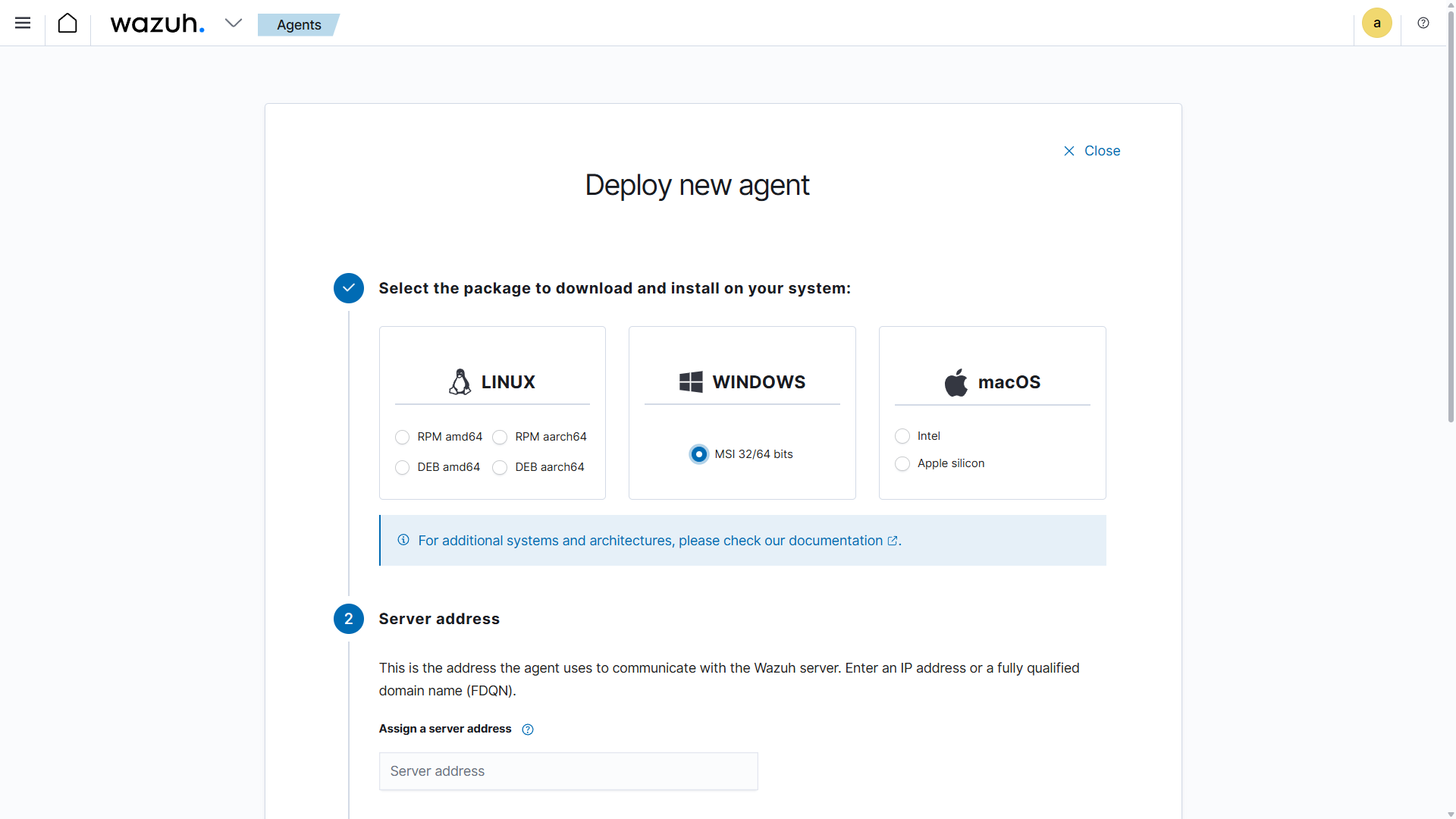
Wazuh Agent deployment and configuration on Windows VM
- Verified connectivity and ensured the agent was sending logs to the manager
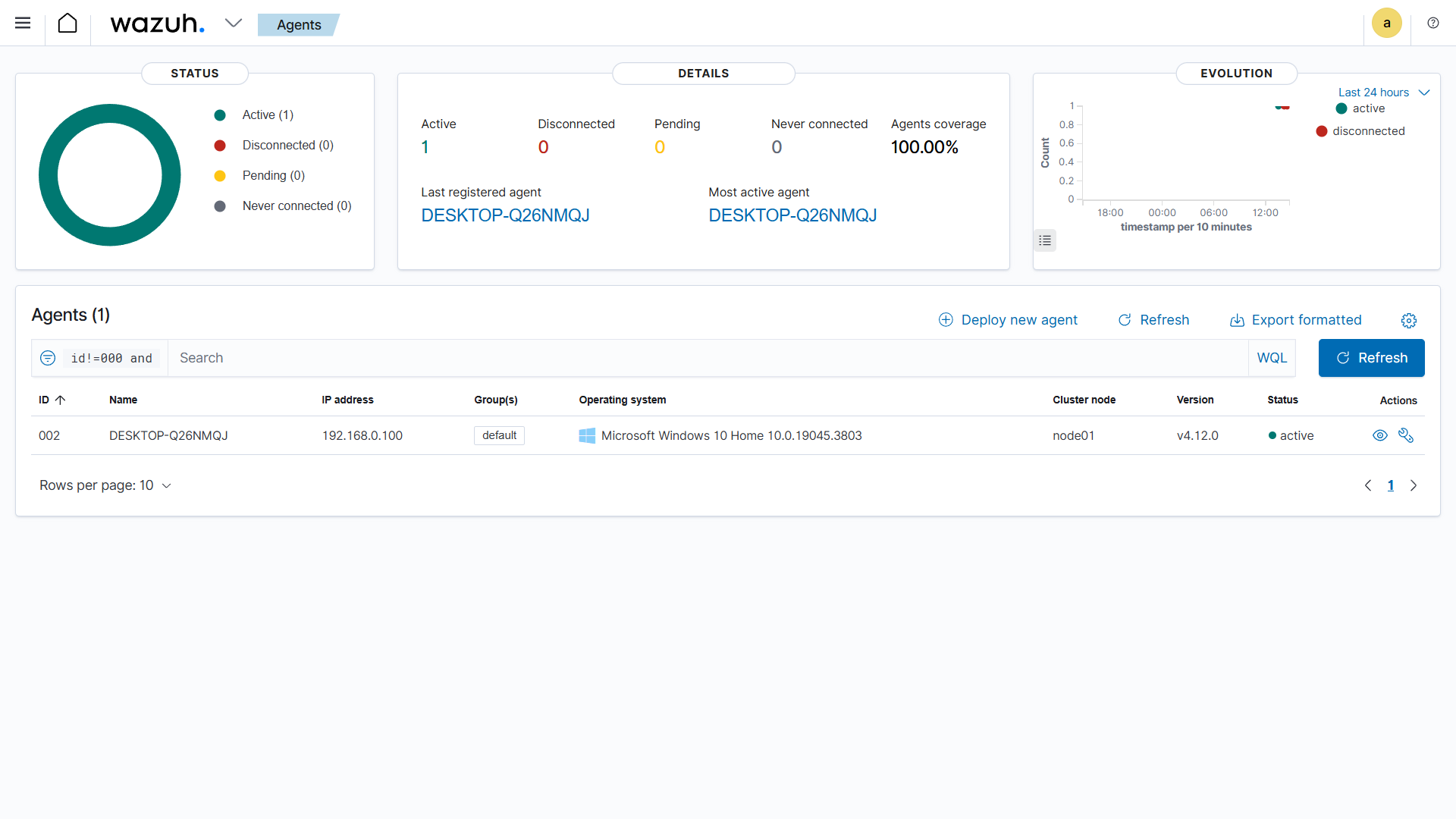
Verification of Wazuh Agent connectivity and log forwarding to Manager
2. Sysmon Installation and Configuration
- Downloaded Sysmon configuration file:
Invoke-WebRequest -Uri https://wazuh.com/resources/blog/emulation-of-attack-techniques-and-detection-with-wazuh/sysmonconfig.xml -OutFile sysmonconfig.xml - Installed Sysmon with configuration:
Sysmon64.exe -accepteula -i sysmonconfig.xml - Configured Wazuh Agent to collect Sysmon events:
<localfile> <location>Microsoft-Windows-Sysmon/Operational</location> <log_format>eventchannel</log_format> </localfile> - Restarted the Wazuh agent to apply changes:
Restart-Service -Name wazuh
3. Custom Detection Rules in Wazuh
To enhance threat detection, custom rules were configured on the Wazuh Manager. These rules raise alerts when specific MITRE ATT&CK techniques are detected via Sysmon logs.
Modified local_rules.xml file:
<group name="windows,sysmon,">

  <rule id="115001" level="10">
    <if_group>windows</if_group>
    <field name="win.eventdata.ruleName" type="pcre2">technique_id=T1053,technique_name=Scheduled Task</field>
    <description>A Newly Scheduled Task has been Detected on $(win.system.computer)</description>
    <mitre>
      <id>T1053</id>
    </mitre>
  </rule>

  <rule id="115004" level="10">
    <if_group>windows</if_group>
    <field name="win.eventdata.ruleName" type="pcre2">technique_id=T1518.001,technique_name=Security Software Discovery</field>
    <description>Security Software Discovery Attempt has been Detected on $(win.system.computer)</description>
    <mitre>
      <id>T1518</id>
    </mitre>
  </rule>

  <rule id="115005" level="10">
    <if_group>windows</if_group>
    <field name="win.eventdata.ruleName" type="pcre2">technique_id=T1548.002,technique_name=Bypass User Access Control</field>
    <description>Privilege Escalation Through Bypass of UAC has been Detected on $(win.system.computer)</description>
    <mitre>
      <id>T1548.002</id>
      <id>T1088</id>
    </mitre>
  </rule>

  <rule id="115010" level="10">
    <if_group>windows</if_group>
    <field name="win.eventdata.ruleName" type="pcre2">technique_id=T1003.001,technique_name=LSASS Memory Access</field>
    <description>Credential Dumping (LSASS) Detected on $(win.system.computer)</description>
    <mitre>
      <id>T1003</id>
    </mitre>
  </rule>

</group>
Restarted Wazuh Manager to apply changes:
sudo systemctl restart wazuh-manager4. Atomic Red Team installation
- Installed Atomic Red Team framework in PowerShell:
IEX (IWR 'https://raw.githubusercontent.com/redcanaryco/invoke-atomicredteam/master/install-atomicredteam.ps1' -UseBasicParsing); Install-AtomicRedTeam -getAtomics - Imported the ART module:
Import-Module "C:\AtomicRedTeam\invoke-atomicredteam\Invoke-AtomicRedTeam.psd1"
Simulated common MITRE ATT&CK techniques using Atomic Red Team:
1. Scheduled Task / Job — Persistence:
This test simulates the creation of a scheduled task to maintain persistence on the target system
Invoke-AtomicTest T1053.005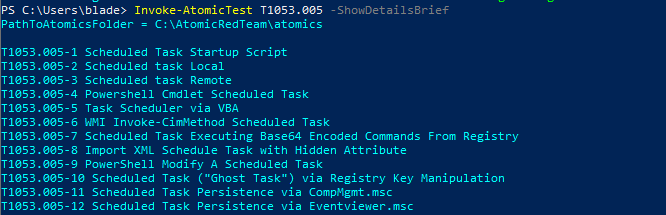
Steps executed by Atomic Red Team test T1053.005
Detected creation of a scheduled task on the endpoint, indicating persistence activity
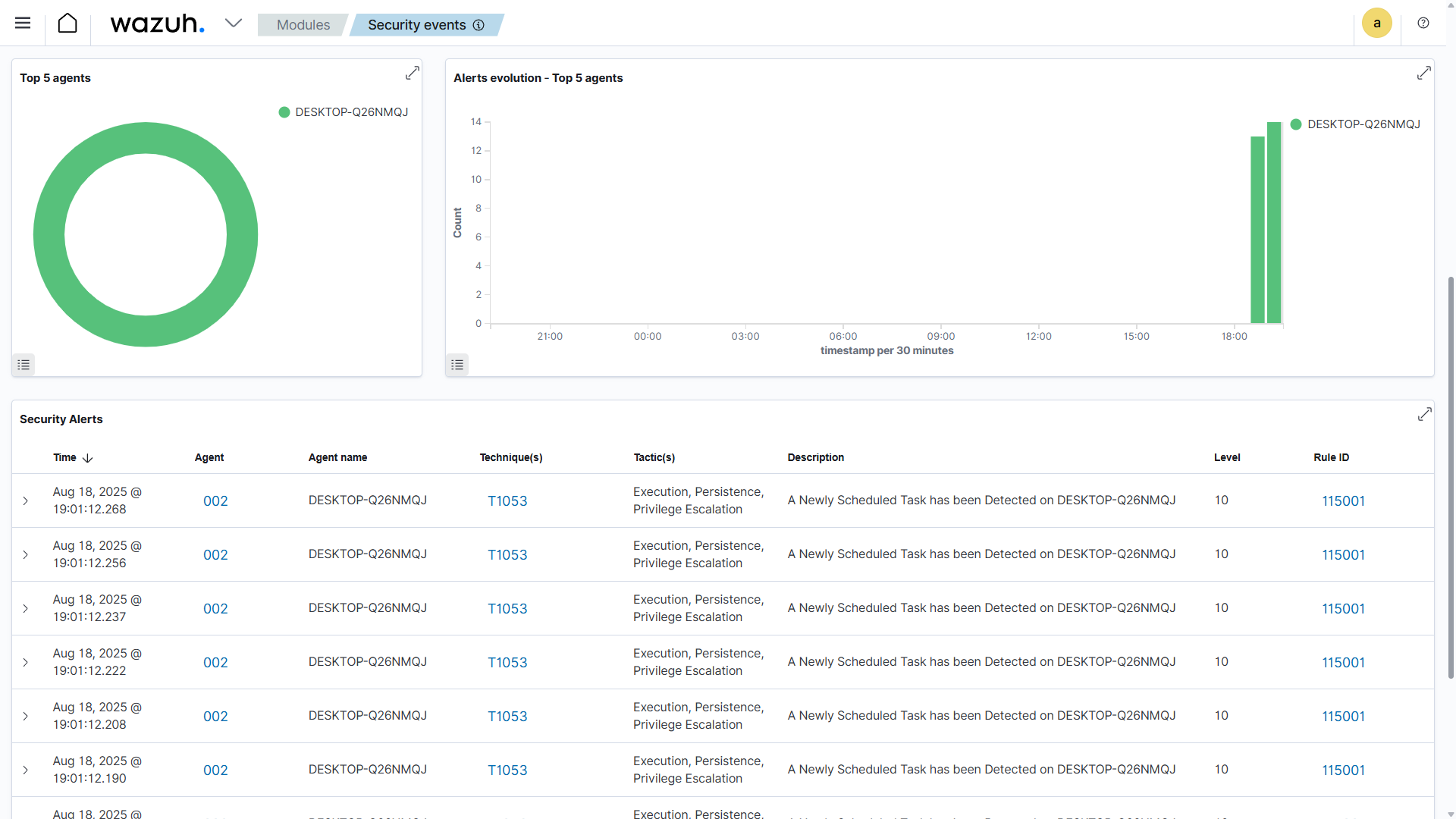
Security Alerts of T1053 scheduled task persistence test execution
2. UAC Bypass — Privilege Escalation:
This test simulates bypassing User Account Control (UAC) to escalate privileges.
Invoke-AtomicTest T1548.002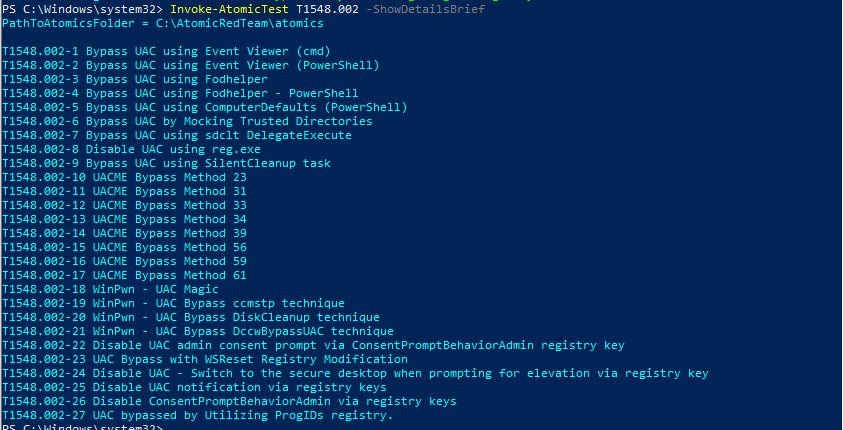
Steps executed by Atomic Red Team test T1548.002
Detected attempt to bypass User Account Control, indicating privilege escalation.
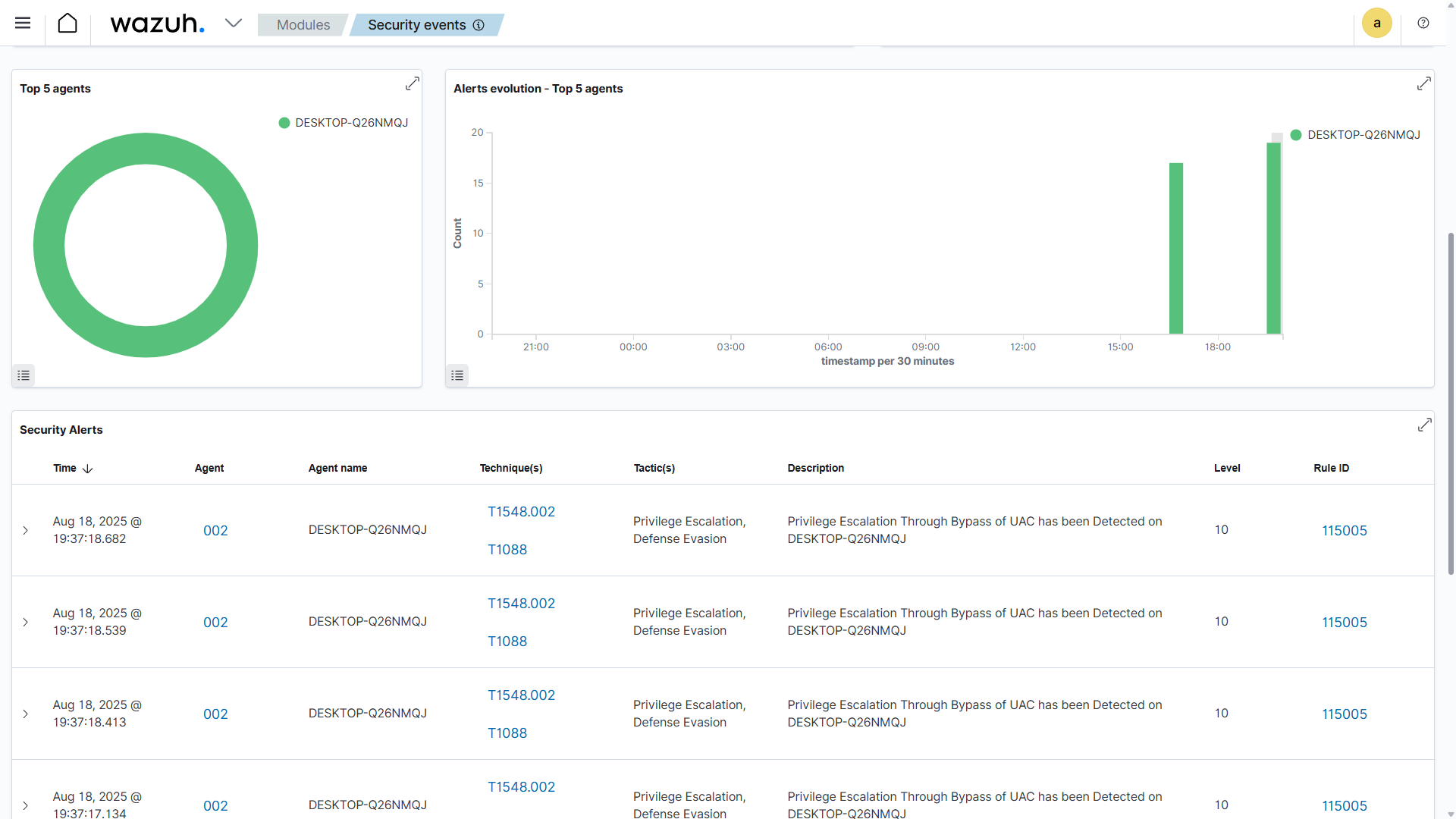
Security Alerts of T1548 UAC bypass privilege escalation test
3. Security Software Discovery — Reconnaissance:
This test simulates an attacker attempting to discover installed security software.
Invoke-AtomicTest T1518.001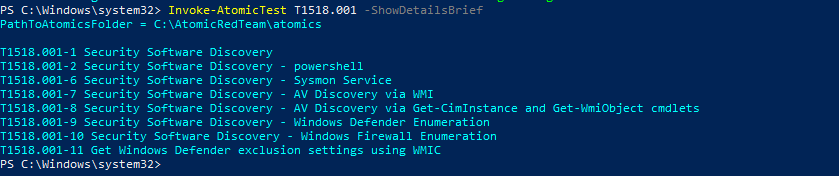
Steps executed by Atomic Red Team test T1518.001
Detected enumeration of security software on the endpoint, indicating reconnaissance activity.
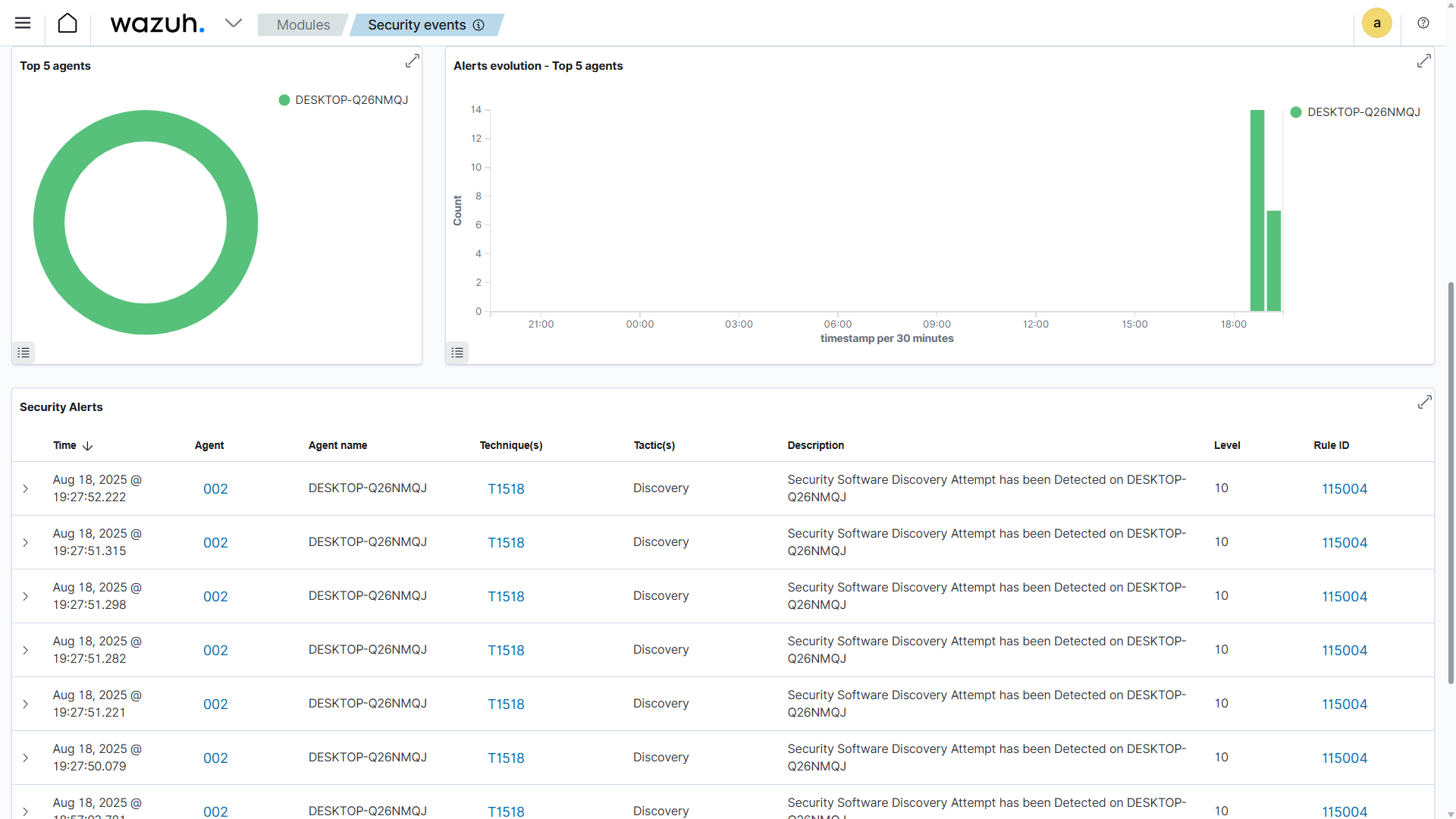
Security Alerts of T1518 security software discovery test
4. Credential Dumping (LSASS):
This test simulates the dumping of credentials from LSASS memory.
Invoke-AtomicTest T1003.001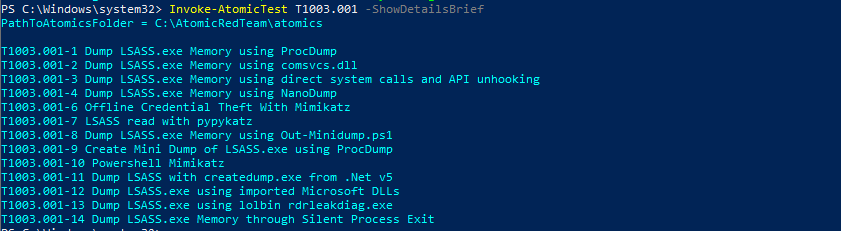
Steps executed by Atomic Red Team test T1003.001
Detected LSASS memory access for credential dumping, indicating sensitive data exfiltration attempts
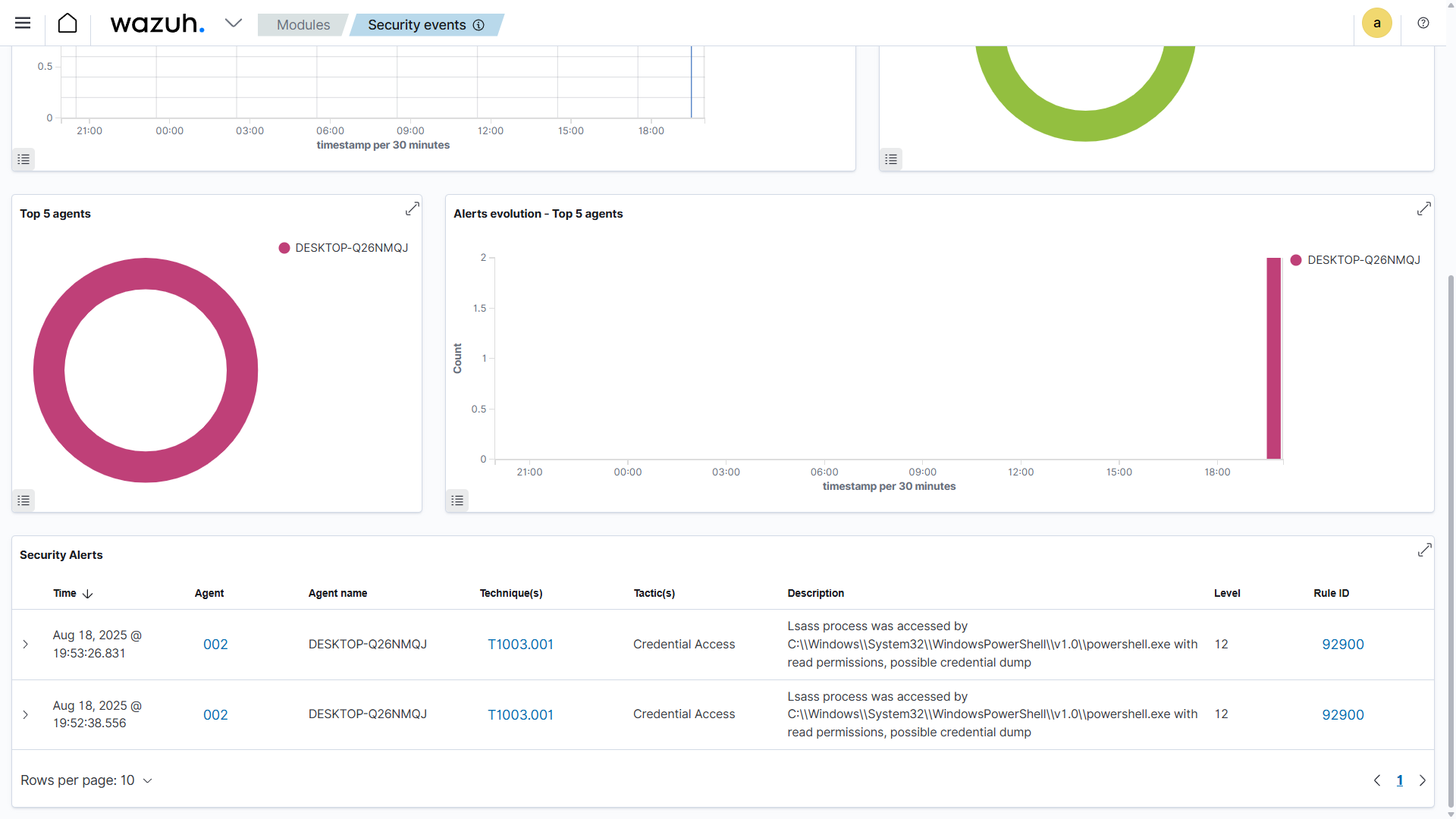
Security Alerts of T1003 credential dumping (LSASS) test execution
All attack logs, including technique ID, name, source process, user account, and timestamp, were captured by Sysmon and forwarded via Wazuh Agent to the manager for detection and alerting.
Visualization and Dashboards
Used the Wazuh web interface to visualize alerts generated by custom rules and Atomic Red Team simulations.
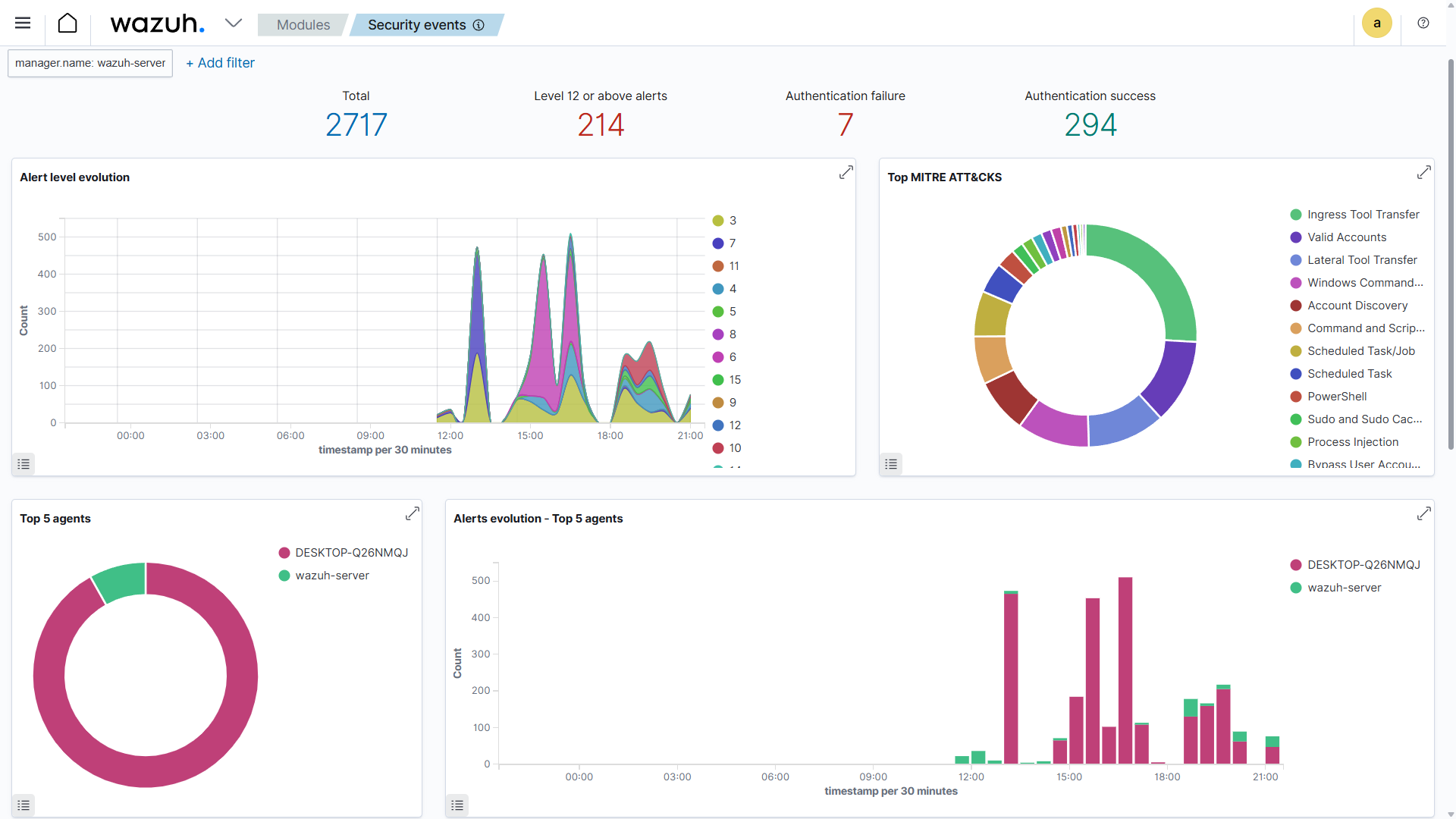
Wazuh web interface showing alerts and dashboard visualizations
Dashboards highlighted:
- Top Agents – endpoints generating the most alerts.
- Top MITRE ATT&CK Techniques – most frequently detected attack techniques.
- Alert Severity and Frequency – number of alerts by level and over time.
Results
- Wazuh successfully detected simulated attacks triggered via Atomic Red Team
- Custom rules provided accurate, high-severity alerts for critical techniques
- Sysmon ensured granular visibility into Windows endpoint events
- Dashboards enabled real-time monitoring and tracking of attack trends
Conclusion
- Deploying and managing Wazuh EDR (Manager + Agent)
- Installing and configuring Sysmon for detailed endpoint logging
- Using Atomic Red Team to simulate MITRE ATT&CK techniques
- Writing and deploying custom detection rules in Wazuh
- Visualizing and analyzing endpoint events for effective threat detection
It demonstrated the effectiveness of Wazuh as an open-source EDR solution for monitoring, detecting, and responding to cyber threats in enterprise environments.